
Microsoft just laid out a roadmap of Windows improvements that honestly should’ve shipped ages ago. But better late than never, right?
The announcement came through the Windows Insider Blog, where Microsoft detailed changes that beta testers will start seeing over the next few months. We’re talking less annoying updates, a lighter memory footprint, smarter Copilot integration, and a taskbar you can actually customize. It’s a solid list. And yes, most of it is long overdue.
Let’s dig into what’s actually coming and why it matters for everyday Windows users.
Windows Update Finally Stops Being So Pushy
If you’ve ever been blindsided by a forced restart at the worst possible moment, you’ll love this one.
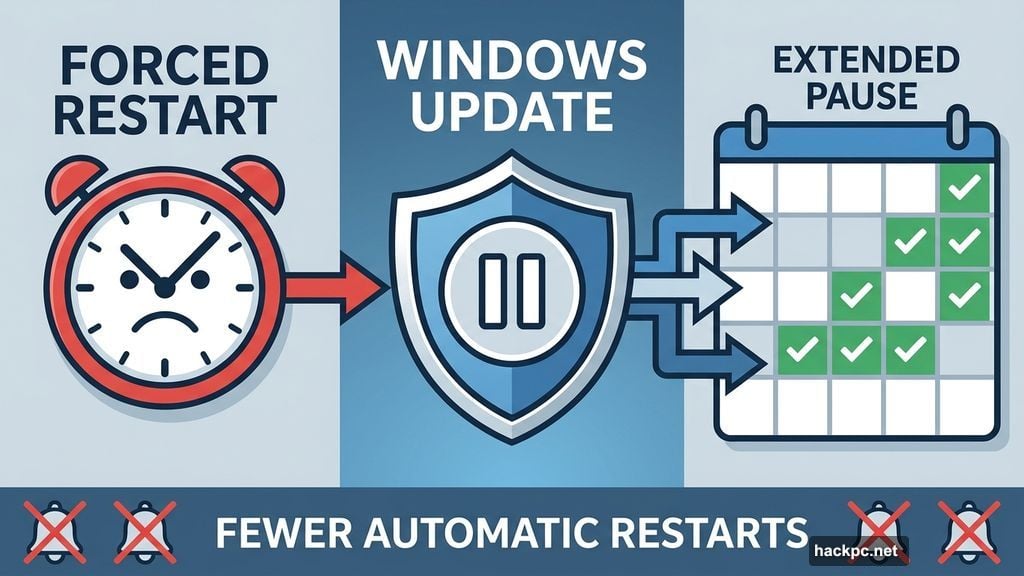
Microsoft is making Windows Update significantly less intrusive. You’ll get longer pause intervals, so you can hold off updates for more time than the current system allows. Updates will also become more predictable, meaning fewer surprise installs when you’re just trying to shut down your laptop.
Plus, Microsoft promises fewer automatic restarts and notifications overall. That alone will make millions of people very happy.
Here’s a nice bonus: during first-time device setup, you’ll be able to skip updates entirely. Most people only set up a new PC once, so this seems like a small win. But it genuinely improves that first impression for new users who just want to start using their computer without a 45-minute update session first.
Memory Usage Gets a Much-Needed Trim
This might be the most impactful change on the whole list. Windows has always been a bit of a memory hog, and Microsoft is finally addressing that.
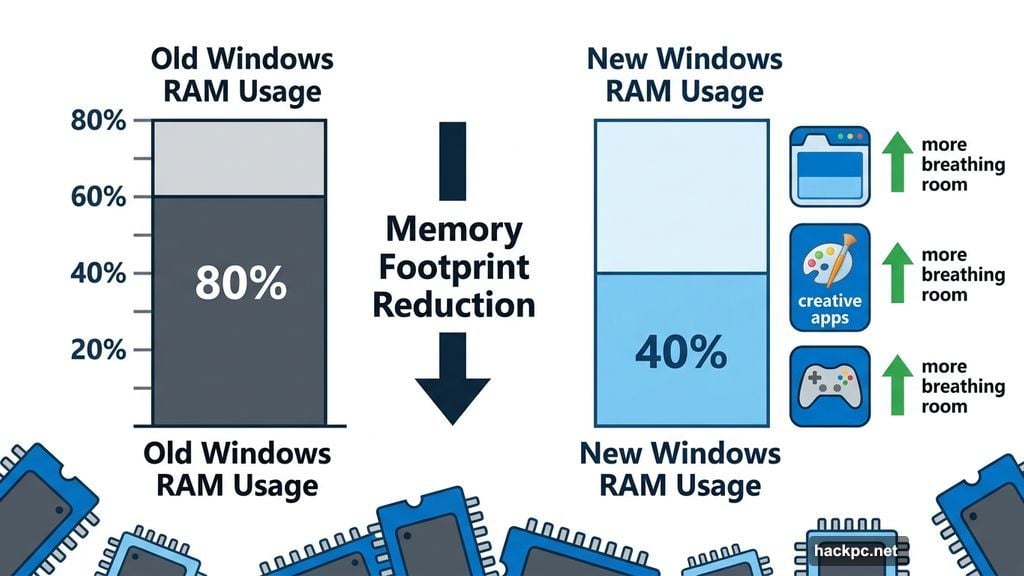
The upcoming update reduces the operating system’s memory footprint, freeing up more RAM for the apps you actually want to run. That means better performance without needing to buy more memory.
And here’s why this really matters right now. Adding more RAM to a new system isn’t always practical or even possible, depending on the hardware. For at least the next couple of years, squeezing more performance out of existing memory is a smarter path forward than expecting everyone to upgrade.
So a leaner Windows means your browser, creative apps, and games get more breathing room. That’s a genuinely meaningful improvement.
Copilot Gets More Focused, Less Noisy
Microsoft has been enthusiastic about pushing Copilot into every corner of Windows. But the company is now stepping back a little to be more thoughtful about it.
Going forward, Microsoft says it will be “more intentional about how and where Copilot integrates across Windows, focusing on experiences that are genuinely useful and well-crafted.” That’s a refreshingly honest admission that the current approach sometimes prioritizes presence over usefulness.
Widgets are getting a similar rethink. They’ll surface information “more intentionally by default,” keeping content glanceable and reducing interruptions. You’ll also be able to personalize or disable widgets more easily, which is exactly how they should’ve worked from the start. The whole point of a widget is a quick glance, not a constant distraction.
Taskbar Customization and a Cleaner Start Menu
Here’s something Windows users have been asking about forever. You’ll soon be able to move the taskbar to the top or right side of your screen, not just the left or bottom.
That might sound minor. But for people with ultrawide monitors, vertical setups, or just personal preferences about screen layout, it’s genuinely useful. Linux and macOS users have had this flexibility for years.
The Start menu is also getting streamlined. Microsoft didn’t spell out every detail, but a cleaner, less cluttered Start experience is clearly part of the plan.
Performance and Stability Across the Board
Beyond memory improvements, Microsoft is promising faster and more fluid performance overall, including a much smoother File Explorer experience. If you’ve ever watched File Explorer chug while copying files or browsing folders, you know why this upgrade matters.
Bluetooth and USB connections are also getting attention. Microsoft promises more stable connections, fewer OS crashes, and more consistent wake-from-sleep behavior. These are the kinds of small, everyday annoyances that quietly erode trust in an operating system over time.
There’s also new controller-based navigation support for setting up a PIN during device setup and in settings. That’s a subtle but smart move for Windows handheld gaming devices like the ROG Xbox Ally X, which often feel more like Windows laptops than proper gaming handhelds. Small interface touches like this help close that gap.
Why This All Matters
None of these changes are dramatic on their own. There’s no shiny new feature that’ll dominate tech headlines. But taken together, they represent something more important: Microsoft paying attention to the basics.
Performance, reliability, customization, and respecting the user’s time. These are the things that make an operating system actually pleasant to use day to day. Windows has sometimes treated these priorities as secondary. It’s encouraging to see them move to the front of the queue.
These changes are rolling out to Windows Insiders over the next few months, which means most users will see them later in 2026. If you want to try them early, joining the Insider program is an option. Otherwise, sit tight. The improvements are coming.




Comments (0)