
Staring at 14,000 free WordPress themes feels like drowning in options. Which one won’t tank your site speed? Which design actually converts visitors? Which choice won’t haunt you in six months?
Stop overthinking it. Most theme decisions come down to a few practical factors that actually matter. Let’s cut through the noise and get your site built.
Standard Themes vs Block Themes: What’s the Real Difference
WordPress offers two distinct theme types, and the choice affects everything about how you build your site.
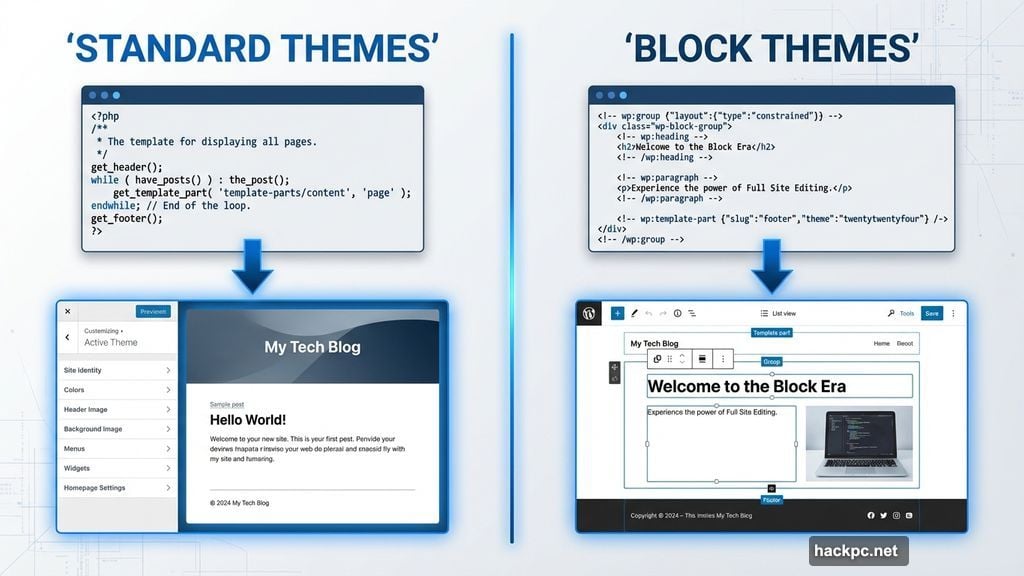
Standard themes use PHP and the WordPress Customizer. You get real-time previews of design changes. Simple tweaks work great. But deeper customization hits walls fast. Want to add custom content to your header? You’ll need PHP knowledge or a developer’s help.
Block themes use HTML and the Full Site Editor. Think visual website builder, but native to WordPress. You can drop any content block anywhere, including headers and footers. That flexibility creates truly unique layouts without touching code.
I prefer standard themes for most projects. The Customizer feels faster and more intuitive. Plus, the best standard themes already offer enough versatility for 90% of websites. However, block themes shine when you need that extra 10% of customization control.
Free vs Paid: Where Your Money Actually Matters
Free WordPress themes can build excellent websites. I use them on all my personal sites. The free version of Total runs every test site I create for web hosting reviews. Zero shame in that game.
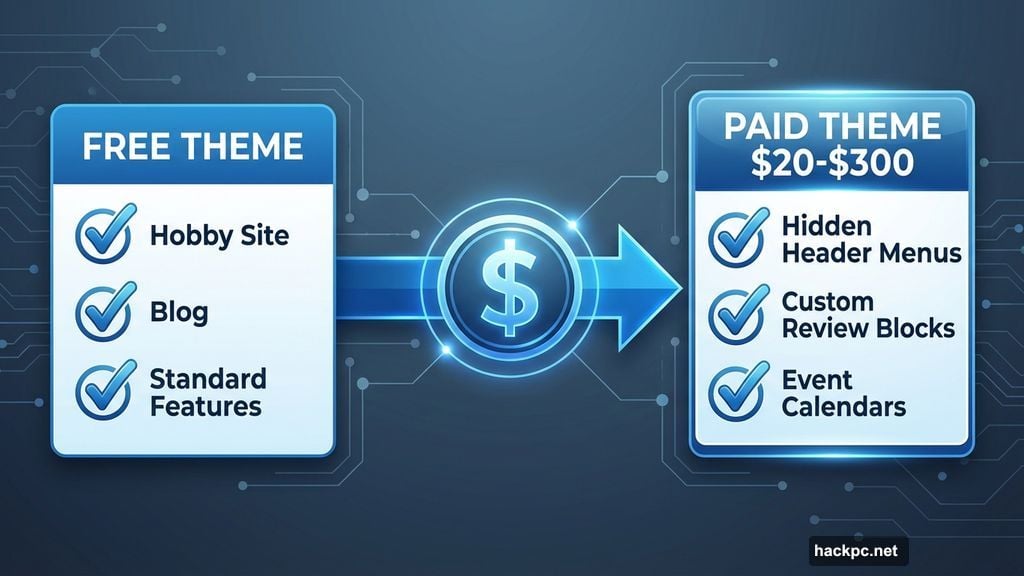
Free themes work perfectly fine when:
- You’re building a hobby site or blog
- The site won’t generate serious income
- You don’t need specialized features
- Standard customization options suffice
Paid themes justify the cost when they unlock specific capabilities. Neve premium lets you hide header menus on landing pages. That one feature can boost conversion rates enough to pay for itself. Other paid themes include custom review blocks, event calendars, or industry-specific templates that save hours of work.
Paid themes range from $20 one-time fees to $300 annual subscriptions. Decide your budget before browsing. Also identify which premium features you actually need versus nice-to-haves. Don’t pay for functionality you’ll never use.
Industry-Specific vs Multi-Purpose: Choose Your Flexibility Level
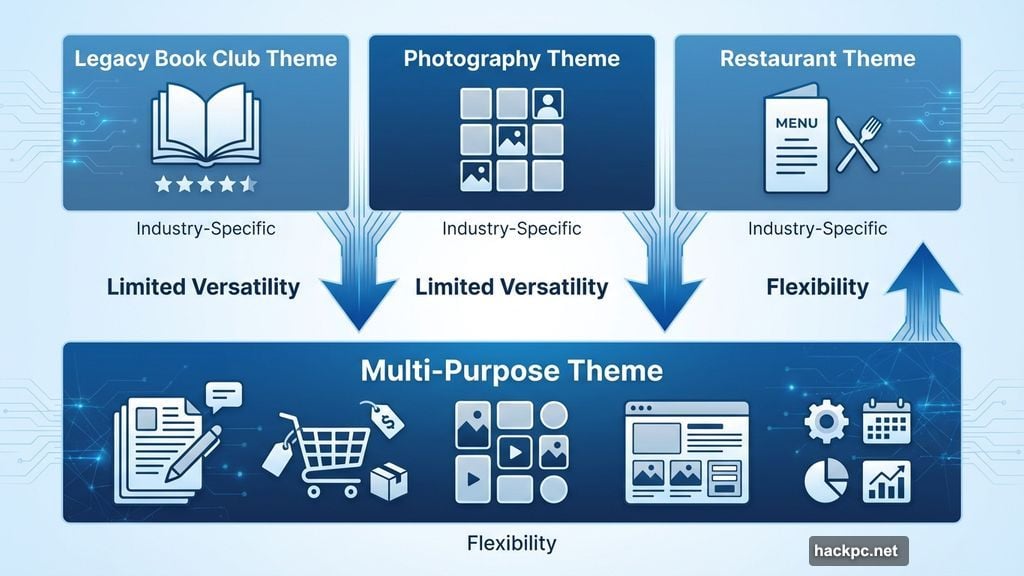
Industry-based themes target specific niches. The Legacy Book Club theme includes e-commerce blocks showing book ratings. Photography themes emphasize portfolio galleries. Restaurant themes highlight menus and reservations. These specialized features make building certain sites incredibly easy.
The tradeoff? Limited versatility. That book club theme probably offers mediocre blog layouts. Adding an e-commerce store to a photography portfolio might look awkward.
Functionality-based themes emphasize website types. Blog themes excel at displaying posts. E-commerce themes optimize product pages. Magazine themes organize content into categories and featured sections. Again, they work great within their scope but struggle outside it.
Multi-purpose themes solve the flexibility problem. Neve, Total, and GeneratePress include starter templates for various website types. They integrate smoothly with plugins like WooCommerce. Plus, they adapt when you add new sections later.
I recommend multi-purpose themes for most projects. Sites evolve. That hobby blog might become a business. Your portfolio site might need an online store. Multi-purpose themes grow with you instead of forcing a theme switch down the road.
However, industry-specific themes make sense when you’re absolutely certain your focus won’t change. A wedding photography business might never need e-commerce features beyond a simple booking system.
Clean Design Beats Flashy Every Time
Your theme exists to showcase your content, not compete with it. The best themes feel invisible, letting your actual work shine through.
Look for themes that emphasize functionality over decoration. Every design element should serve a clear purpose. Navigation helps users find content. Sidebars provide supplementary information. Headers establish brand identity. Remove anything that doesn’t contribute value.
White space matters more than you think. Cramming elements together overwhelms visitors and slows down your server. Space between header, sidebar, and main content areas creates breathing room. That breathing room improves user experience and potentially boosts site speed.
Testing matters here. Install a theme and build a sample page. Does it feel cluttered? Can you easily find what matters? Be honest. A cluttered demo predicts a cluttered live site.
Mobile Responsiveness Requires Testing, Not Trust
Responsive design adjusts layouts for different screen sizes. Since 53.5% of web traffic comes from mobile devices, responsive themes aren’t optional. They’re mandatory.
Almost every modern WordPress theme claims responsive design. However, claims and reality sometimes diverge. Some themes squish elements awkwardly on phones. Others lose functionality on tablets. Still others look perfect on iPhones but break on Android devices.
WordPress includes a built-in view switcher. Use it to preview desktop, tablet, and phone layouts before committing to a theme. Look for weird spacing, unreadable text, or missing buttons.
Then go further. Actually visit your site on your phone and tablet. Tap buttons. Navigate menus. Fill out forms. This practical testing reveals issues the preview might miss.
Customization Options You Actually Need
Block themes offer more customization than standard themes. But individual themes vary wildly in what they let you modify.
Minimum customization requirements:
- Font selection for headers and body text
- Color schemes including background, header, and footer colors
- Top menu appearance and positioning
- Header and footer content placement
- Homepage configuration (blog posts or static page)
These basics let you create a branded, professional-looking site. Anything beyond this enters “nice to have” territory.
Some themes let you upload custom fonts. Others include hundreds of pre-loaded font options. Decide which features matter for your specific brand before getting lost in advanced customization options.
Lightweight Themes Load Faster
Heavy themes bog down servers with bloated code and unnecessary features. Lightweight themes streamline code and simplify visual elements. The difference shows up in site speed, which affects everything from user experience to search rankings.
Check for lightweight claims. Theme descriptions often mention optimized code or simplified design specifically to highlight performance benefits.
Search for speed tests. Google “(theme name) speed” to find existing performance reviews. Or install the theme and run your own tests using WebPageTest. This tool provides detailed metrics about load times and performance bottlenecks.
Warning: Theme weight isn’t the only speed factor. Caching plugins, content delivery networks, image optimization, and hosting quality all affect site speed. But starting with a lightweight theme gives you a better foundation.
Active Development Protects Your Site
Regularly updated themes fix security holes, ensure WordPress compatibility, and add new features. Your theme should receive updates at least monthly, and definitely with each major WordPress release.
For WordPress.org themes, check the right sidebar on the theme page. It shows the last update date and which WordPress version the theme supports. WordPress also flags themes that haven’t been updated recently with warning banners at the top of the page.
For paid themes, search the company blog for update announcements. Check social media. Read customer reviews. Look for complaints about compatibility issues or abandoned development.
Outdated themes create security vulnerabilities and compatibility headaches. Skip any theme that hasn’t been updated in several months unless you have a compelling reason to choose it.
Translation Plugins Beat Translation-Ready Themes
Translation-ready themes support multiple languages natively. They list supported languages in their descriptions. If you know you’ll serve international audiences, these themes simplify multilingual content management.
However, translation plugins like Weglot work with any theme. They offer more flexibility and often better translation quality. So don’t eliminate themes just because they lack native translation support. The right plugin solves that problem easily.
Three WordPress Themes Worth Testing
Neve offers both free and premium versions, making it accessible for various budgets. The free version delivers excellent site speed and solid customization options. I’ve used it on my Weeknight Writers site for two years without complaints.
Neve premium costs $139 annually and unlocks advanced header customization, custom blocks, and professional starter sites. Both versions work seamlessly with popular page builders and WooCommerce. Translation support covers multiple languages.
Total provides another strong freemium option. The free version includes extensive customization and industry-specific templates. I use Total on every WordPress test site I build for web hosting reviews. It just works.
Total premium costs a one-time $59 fee for additional templates, 30-plus custom widgets, and advanced customization tools. The one-time payment model appeals to anyone tired of subscription fees.
GeneratePress takes the block theme approach with full site editor support. The free version includes 60-plus color controls, advanced typography options, and five menu locations. Speed optimization and SEO features come standard.
GeneratePress premium runs $150 per year for starter sites, custom blocks, and cloud storage for reusable block patterns. That last feature saves serious time when building multiple similar pages or sites.
Your First Choice Doesn’t Have to Be Perfect
WordPress lets you change themes anytime. Your initial pick isn’t permanent. So stop agonizing over finding the perfect theme right now.
Start with a solid multi-purpose option like the ones mentioned above. Build your site. Live with it for a few weeks. Notice what works and what frustrates you. Then decide if you want to stick with your choice or try something different.
That hands-on experience teaches you more about theme selection than any guide ever could. Each site you build sharpens your instincts about what matters and what doesn’t.
The right theme matters. But overthinking the choice delays your actual goal: building a functional website that serves your audience. Pick something good enough and move forward. You can always refine later.




Comments (0)