
Holiday travel means connecting to sketchy Wi-Fi networks. Hotels, airports, coffee shops—they all see everything you do online.
I’ve used a VPN while traveling for years. Not because I’m paranoid. Because I actually tested what network administrators can see, and it’s scary. Plus, a VPN unlocks streaming content, prevents mobile throttling, and stops certain attacks on public networks.
Most people pack their toothbrush but forget the one thing that protects their digital life. So let’s fix that before your next trip.
Network Admins See Your Entire Browsing History
Connect to hotel Wi-Fi without a VPN. The property’s internet provider instantly sees every website you visit, every app you use, every file you download.
That includes your bank login page, email inbox, and that embarrassing 3 AM Google search. All visible to strangers managing the network.
VPNs encrypt your traffic before it leaves your device. So the hotel only sees encrypted gibberish flowing through their network. They can’t tell if you’re checking email or streaming movies.
I tested this myself at a coffee shop. Without a VPN, the network owner could view my browsing in real time. With one enabled, all they saw was encrypted data flowing to a VPN server. Big difference.
Public Wi-Fi Attacks Are Real (But Overblown)
VPN companies love scaring people about public Wi-Fi dangers. Most of it’s exaggerated. But some threats actually exist.
Adversary-in-the-middle attacks let hackers intercept data flowing between your device and websites. Rare? Yes. Possible? Also yes.
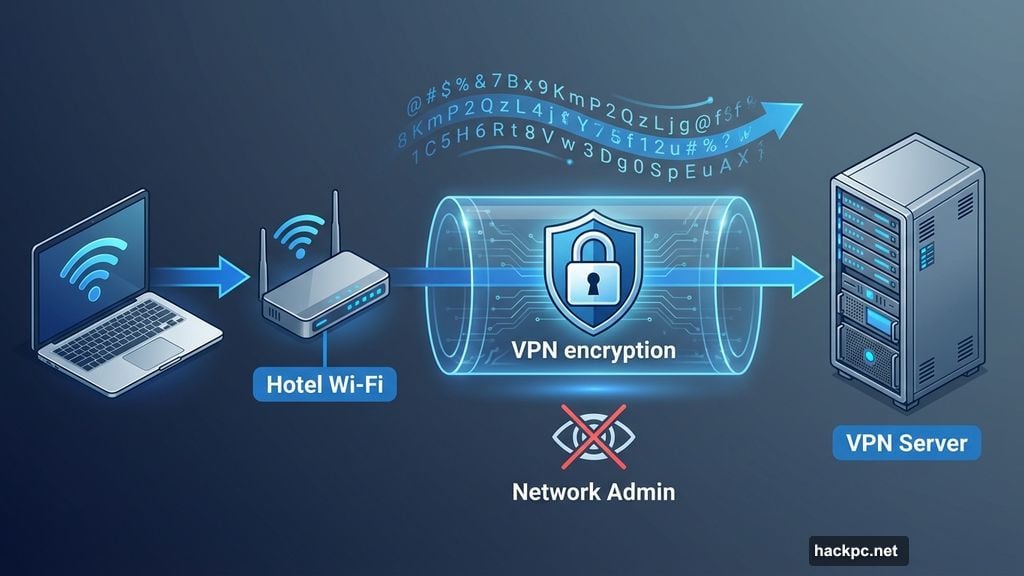
A VPN shields against these attacks by encrypting everything before transmission. Hackers can capture encrypted packets, but they can’t read them without the decryption key.
That said, VPNs aren’t magic security tools. You still need antivirus software, a password manager, and basic common sense. Think of VPNs as privacy tools, not security suites.
Streaming Your Shows While Traveling Actually Works
Netflix shows different content in different countries. Same with Prime Video, Disney Plus, and HBO Max.
Traveling to Canada? You lose access to some US shows. Visiting Europe? Different library entirely.
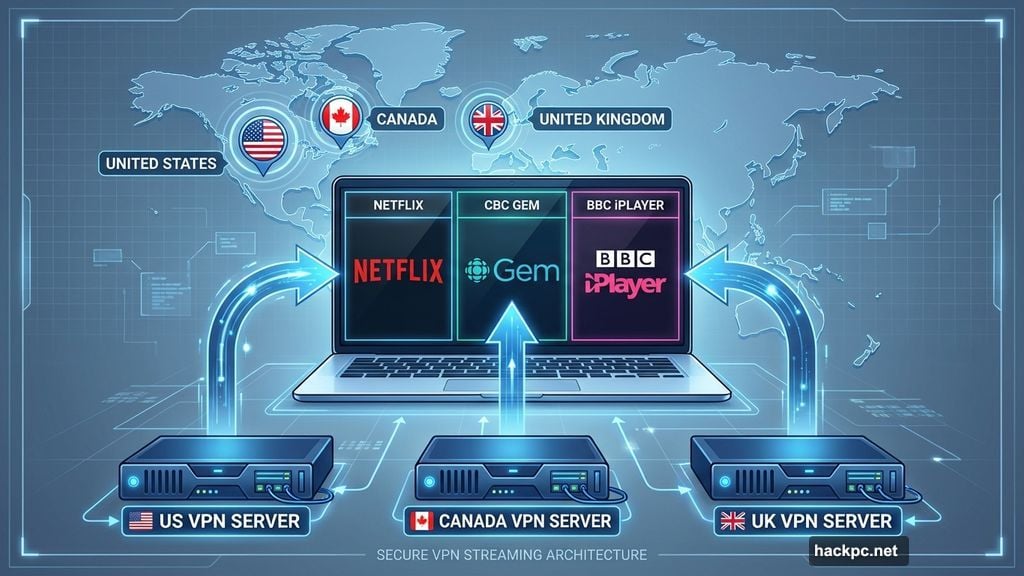
I use a VPN to keep streaming my favorite content regardless of location. Connect to a US server while abroad. Open Netflix. Watch the same shows available at home.
This works for domestically restricted content too. Local sports broadcasts often limit viewers to specific cities or states. Connect to a VPN server in your team’s home city. Stream the game like you never left.
CBC Gem only works in Canada. BBC iPlayer requires a UK connection. VPNs bypass these geographic restrictions by making it look like you’re browsing from the required country.
Mobile Carriers Secretly Downgrade Your Video Quality
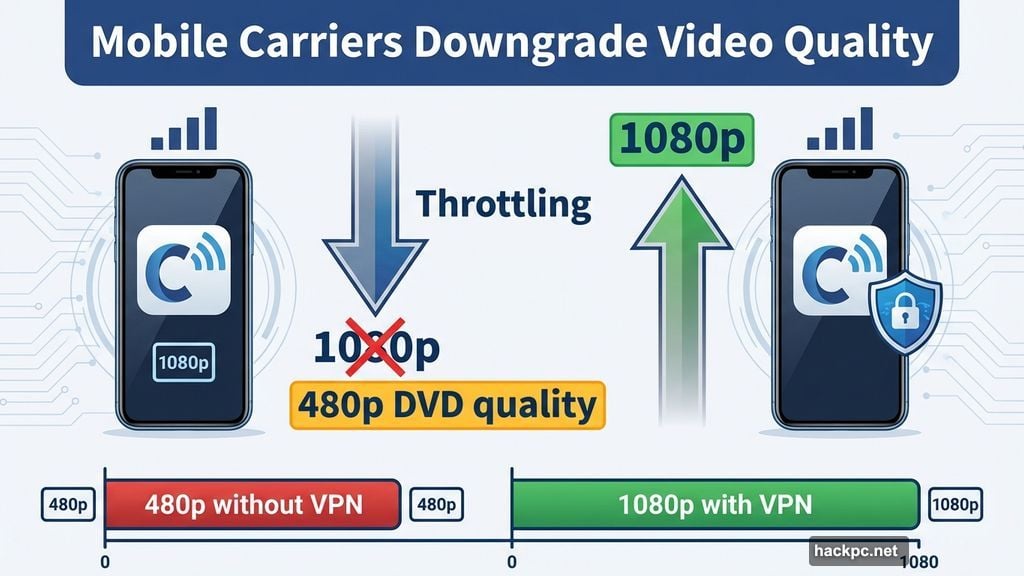
Your phone company throttles video streaming to save bandwidth. They downgrade 1080p or 4K streams to 480p—DVD quality—even though modern smartphones have high-resolution displays.
The iPhone 17 screen has a 2,622×1,206 resolution. Samsung Galaxy S25 clocks in at 2,340×1,080. Watching 480p video on these displays looks grainy and terrible.
VPNs stop this throttling. When your traffic is encrypted, your carrier can’t tell you’re streaming video. So they can’t selectively slow down Netflix or YouTube.
I tested this on my cellular plan. Without a VPN, Netflix streamed at 480p. With a VPN enabled, I got full 1080p quality. Same data connection, drastically better viewing experience.
Some Countries Block Websites You Need
Certain destinations restrict access to websites and apps. Sometimes due to government censorship. Sometimes because of network policies.
A VPN helps bypass these blocks by routing your traffic through a server in an unrestricted country. But check local laws first—VPN usage itself might violate terms of service or regulations in some places.
Some networks detect and block VPN traffic. If that happens, enable obfuscation. This feature disguises VPN connections as regular internet traffic.
NordVPN offers NordWhisper protocol specifically for obfuscation. Proton VPN includes Stealth mode. These aren’t foolproof, but they slip through many firewalls.
Best VPNs for Travelers
You need a VPN with servers in 100-plus countries. Otherwise you can’t unblock content from specific regions.
NordVPN leads the pack with 8,000-plus servers across 126 countries. Plus, it delivered the fastest speeds in our testing. Perfect for streaming without buffering.
Proton VPN offers a genuinely free tier. No data limits, no ads, no selling your information. The catch? You connect to one device at a time and can’t manually pick servers. But for basic travel privacy, it works.
ExpressVPN covers all 50 US states. If you travel domestically and need to access region-restricted content within America, ExpressVPN delivers.
Surfshark undercuts competitors on price while providing 3,200-plus servers in 100 countries. Best value if you want solid performance without premium pricing.
VPNs Won’t Take Space in Your Luggage
Download a VPN app before you leave. It takes two minutes and zero suitcase space.
Most people pack noise-canceling headphones, snacks, and chargers. But they forget the one app that protects their privacy on hotel Wi-Fi, unblocks streaming content, and stops mobile throttling.
Install your VPN at home where you control the network. Test it before traveling. Make sure it connects properly and doesn’t slow your internet to a crawl.
Then enable it every time you connect to unfamiliar networks. Airports, hotels, coffee shops, rental homes—anywhere you don’t control the router.
Privacy Beats Convenience Every Time
Network administrators don’t need to see your browsing history. Your mobile carrier shouldn’t decide what video quality you deserve. And geographic restrictions shouldn’t determine what content you can watch.
A VPN fixes all three problems without requiring extra luggage space or complicated setup. Just download, connect, and browse privately.
I’ve used VPNs since studying abroad in college. Now I keep one active whether I’m streaming at home or connected to public Wi-Fi. It’s become second nature, like locking your phone screen.
Start this year by adding VPN usage to your travel checklist. Your privacy is worth two minutes of setup time.




Comments (0)