
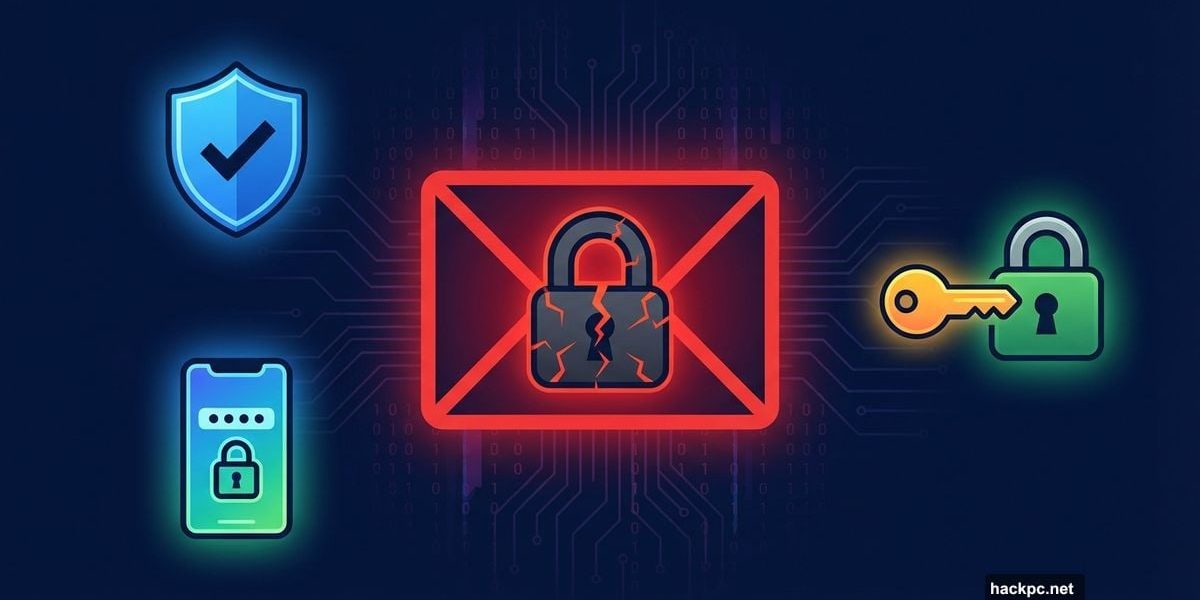
Data breach emails have become so routine that most of us treat them like spam. You scan the subject line, note that everything is “contained,” and get on with your day. But those notices deserve more than a quick skim.
In late 2025, South Korea’s largest e-commerce platform confirmed a hack exposing the names, emails, and phone numbers of about 33.7 million customers. Around the same time, Check Point researchers reported a roughly 160% year-over-year surge in credential theft as of August 2025. Attackers aren’t always in a hurry, either. A stolen email address or password can sit dormant for months before someone uses it to probe your other accounts.
So if your information was exposed, you don’t need to panic. But you do need to act, and fast.
Your Email Account Is the Master Key
Think of your email like the front door to every other account you own. If someone gets in, they can trigger password resets for your bank, social media, cloud storage, and health apps without ever needing your original login. One click on “forgot password” and they’re inside.
Start here. Change your email password immediately, and make it long and unique — something you haven’t used anywhere else. Then turn on two-factor authentication (2FA) if you haven’t already.
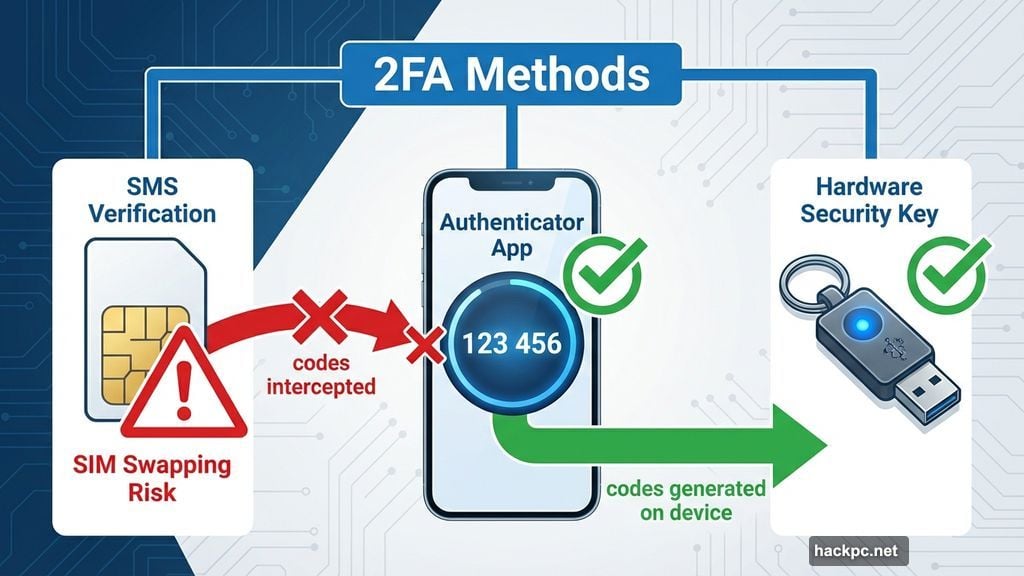
Most providers support authenticator apps, push notifications, or hardware security keys. SMS verification is the most popular option, but it’s also the weakest. Attackers can intercept text messages or hijack your phone number through a technique called SIM swapping. An authenticator app generates codes directly on your device, cutting that risk entirely.
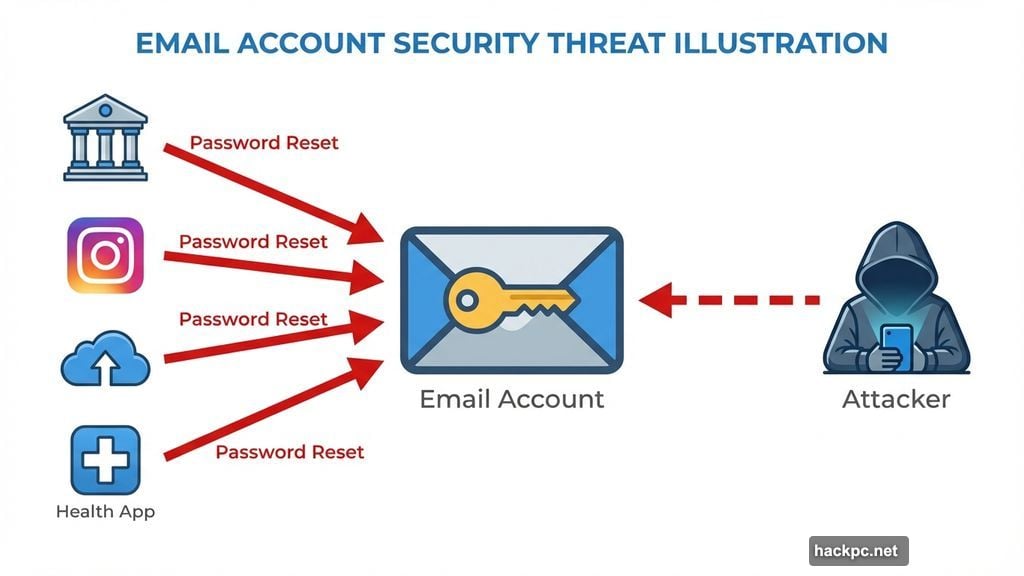
Also spend a few minutes reviewing recent sign-in activity. Most email services show exactly where and when your account was last accessed. Anything unfamiliar? Sign out of all active sessions and revoke access to any connected apps you don’t recognize.
Change Every Password That Was Exposed — and Every Reused One
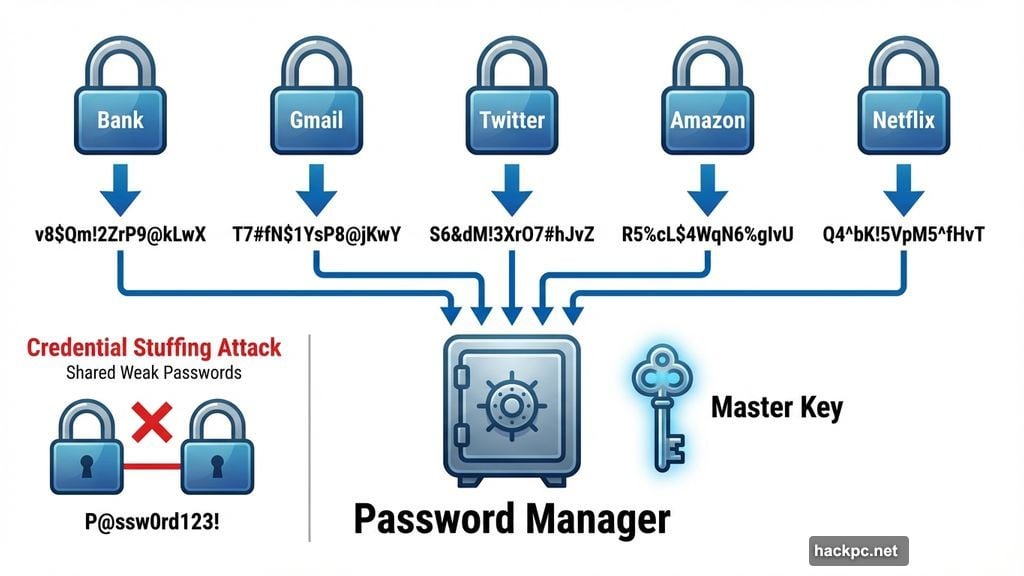
This is where most people fall short. They change the breached account’s password and stop there. But attackers don’t. They take leaked email and password combinations and automatically test them across hundreds of popular services. It’s called credential stuffing, and it works because so many people reuse passwords.
Every account needs its own unique password. Ideally something long and random, like v8$Qm!2ZrP9@kLwX work well — that’s 20 characters, harder to crack, and easier to remember than a random string., with at least 14 characters. Alternatively, Apple-style passphrases like ajwQ7-alxup-haytz
If managing dozens of unique passwords sounds exhausting, a password manager takes care of the heavy lifting. It generates and stores everything for you, so you only need to remember one master password. Both iOS and Android offer free built-in options — iCloud Keychain and Google Password Manager, respectively.
Also worth considering: passkeys. These replace traditional passwords with device-based authentication that can’t be phished or reused if a service gets breached. More platforms are supporting them every month.
Turn On Two-Factor Authentication Everywhere You Can
Two-factor authentication adds a second checkpoint beyond your password. Even if someone steals your login credentials, they still can’t get in without that second verification step — usually a temporary code, a biometric scan, or a physical security key.
Enable 2FA on every account that supports it, especially anything holding financial data, health information, or personal records. App-based authenticators and hardware keys are more secure than SMS, but any form of 2FA beats having none at all.
One important step people skip: save your recovery codes somewhere safe after enabling 2FA. These codes are often the only way back into your account if you lose your phone or security key. Treat them like a spare house key — keep them somewhere secure but accessible.
Look for Signs Someone Already Got In
Once you’ve tightened your credentials, check whether any damage has already been done. Review recent login history and transaction records across your important accounts. Watch for unexpected password reset emails, new email forwarding rules you didn’t set up, or profile changes you don’t recognize.
For financial accounts, scan recent purchases and enable transaction alerts if the option exists. If anything looks suspicious, contact the service directly and follow its account recovery process right away. The sooner you report unauthorized access, the better your options.
Cut Off Old App Connections and Devices
Over time, accounts accumulate connections to third-party apps, browser extensions, and old devices you’ve long forgotten about. After a breach, these stale connections become potential entry points.
Go through your connected apps and revoke access to anything you don’t actively use or recognize. Log out of all active sessions while you’re at it. If an attacker is still lurking in a session, that forces them out immediately.
Stay Alert Long After You’ve Locked Things Down
Securing your accounts after a breach isn’t a one-time task. Some attackers sit on stolen data for months, betting that users will relax their guard before trying to use it.
Sign up for breach monitoring through a password manager or an identity monitoring service so you get notified if your information surfaces again. Enable security alerts on your most important accounts — many services will notify you in real time when a new login happens or account settings change.
A data breach doesn’t have to lead to identity theft or financial loss. Start with your email, fix your passwords, and layer on 2FA wherever possible. Those steps alone put you well ahead of most people. And given that another breach is almost certainly coming at some point, building these habits now is the smartest move you can make.




Comments (0)