

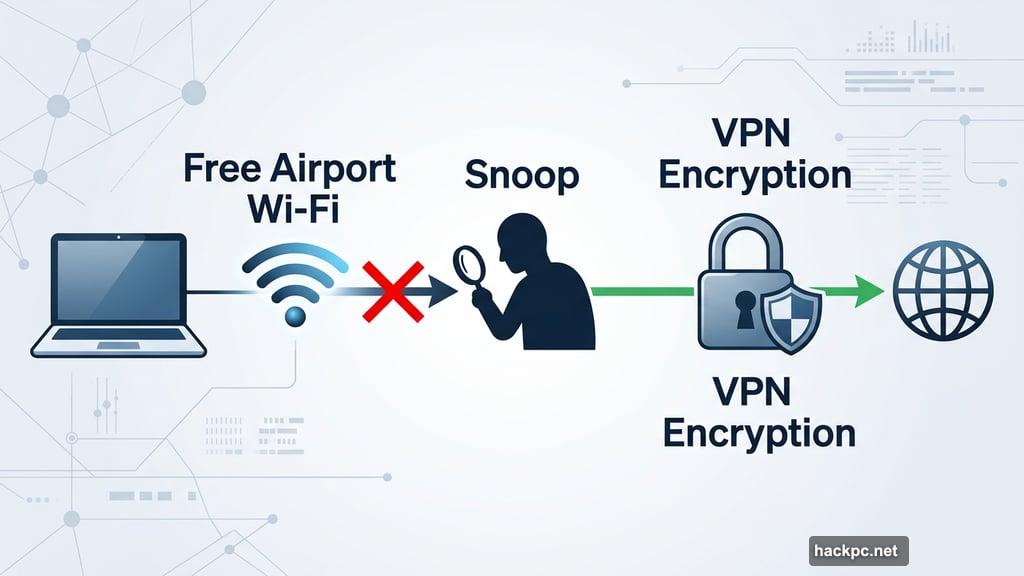
Picture this: you’re sitting in an airport lounge, connected to free Wi-Fi, catching up on emails and streaming a show before your flight. Sounds perfectly normal, right? But that open network could be exposing your browsing activity to anyone nearby with the right tools.
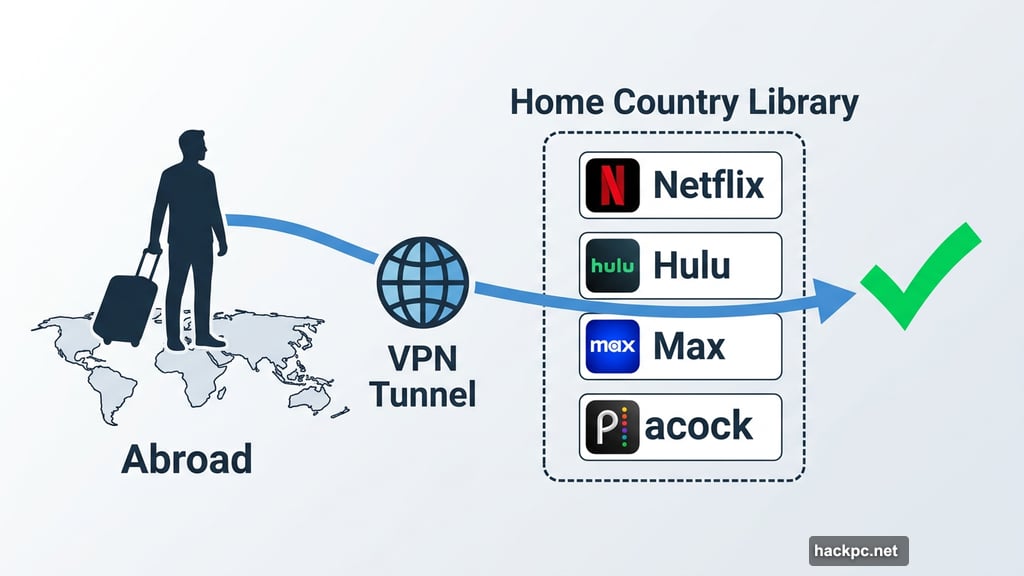
That’s where a VPN comes in. A virtual private network (VPN) encrypts your internet traffic and masks your IP address, making it much harder for anyone to snoop on what you’re doing online. Plus, it lets you access streaming content from your home country while you’re abroad — so your Netflix binge doesn’t have to pause just because you crossed a border.
Whether you’re road-tripping across the US, studying abroad or jetting off for spring break, a solid VPN belongs in your travel toolkit alongside your passport and power adapter. Here’s a breakdown of the best options available right now.
What to Look for in a Travel VPN
Not all VPNs are built the same, and travel throws some specific demands at them. Before picking one, it’s worth thinking through a few key areas.
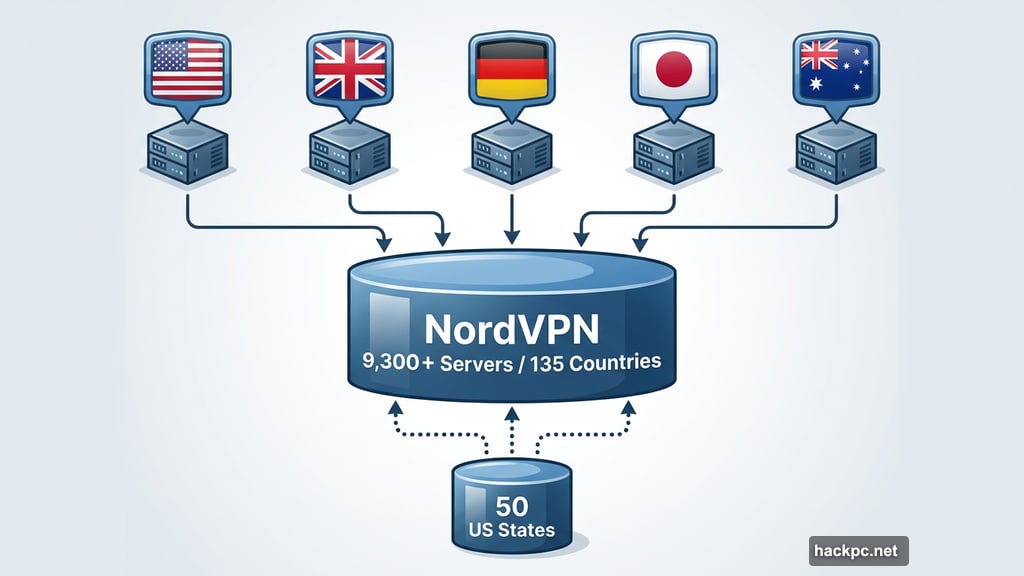
Server network: Look for at least 60 countries in the server roster, though 100 or more is even better. More server locations mean you’re more likely to find a fast connection wherever you land. Also check for servers in the specific countries you’re visiting most.
Speed: All VPNs slow your connection down a little since your traffic gets routed through an encrypted server. But the best ones keep that loss under 25%, which most people won’t notice — even on slower hotel Wi-Fi.
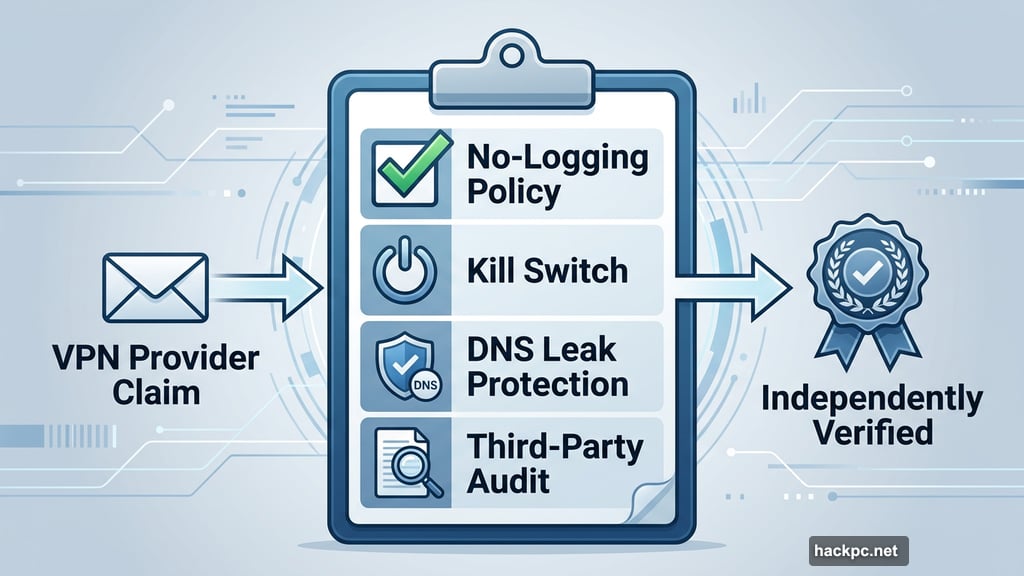
Privacy features: A no-logging policy, kill switch and DNS leak protection are non-negotiables. Third-party audits are a big trust signal too. If a VPN company says it doesn’t log your data but has never had that claim independently verified, take it with a grain of salt.
Streaming support: Want to watch Hulu, Max or Peacock from outside the US? Or access your home country’s Netflix library while overseas? Make sure your VPN can reliably unblock the specific services you care about.
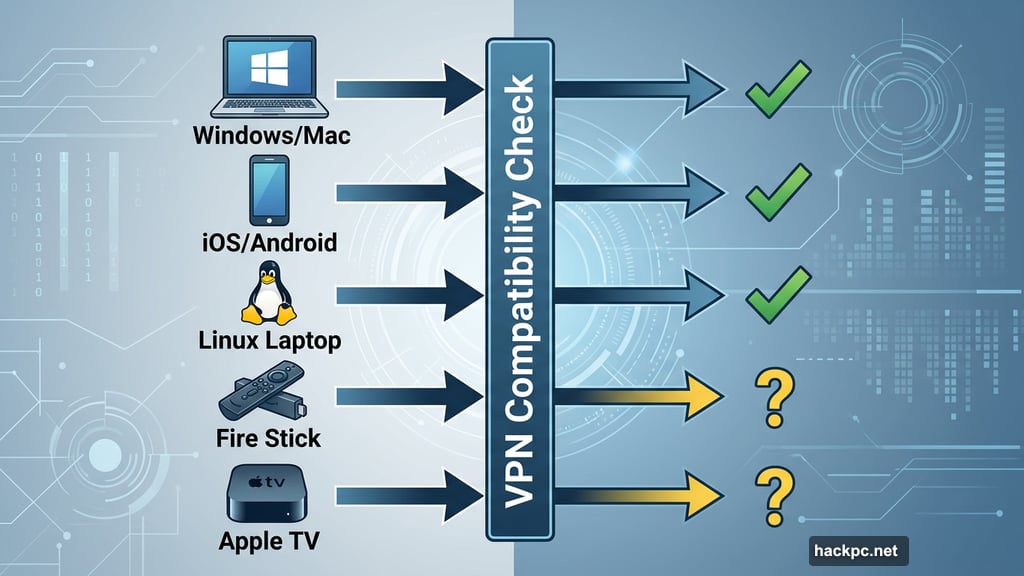
Device compatibility: Think about every device you’re bringing. Most VPNs cover Windows, Mac, iOS and Android well. But if you’re packing a Linux laptop, Fire Stick or Apple TV, double-check that your chosen VPN supports those too.
Cost: Expect to pay anywhere from about $5 to $15 per month, or $40 to $100 for an annual plan. Stick to a one-year subscription rather than locking in two or more years — VPN services can change significantly over time, and you don’t want to be stuck with one that’s gone downhill.
NordVPN: The Best Overall Travel VPN
NordVPN earns the top spot for travel thanks to its massive server network: 9,300-plus servers spread across 135 countries. That’s a genuinely impressive footprint. And notably, NordVPN has servers in all 50 US states, making it a strong choice for both domestic road trips and international adventures.
Speed is where NordVPN really shines. In 2025 testing, it clocked an average internet download speed loss of just 3%. That’s essentially nothing — even if you’re on a slow hotel connection, you’re unlikely to notice any difference at all.
For streaming, NordVPN performed well. It unblocked US and UK Netflix, Amazon Prime Video and Disney Plus across most devices without any fuss. And with apps covering Windows, MacOS, Linux, Android, iOS, Apple TV and even browser extensions, you can protect pretty much any device you bring.
On the privacy side, NordVPN offers Double VPN and Onion Over VPN (Tor) for extra encryption layers when you need them. A 2025 audit by Deloitte backed up its no-logging claims, which adds meaningful transparency. You can even pay with cryptocurrency if you want an extra layer of anonymity.
Pricing sits at $13 per month, $60 for the first year or $81 for two years upfront. That’s reasonable initially, but watch out: renewal rates jump to $140 per year, which is steep. The good news is you can stack subscriptions to sidestep that price hike.
ExpressVPN: Best for Privacy-Focused Travelers
ExpressVPN consistently delivers one of the best combinations of strong privacy features and a wide-ranging server network. With 3,000-plus servers in 105 countries — including all 50 US states — it’s a dependable companion for travel to and within the US, and a solid pick for accessing region-locked streaming sports like NFL, WNBA or NWSL games.
In 2025 testing, ExpressVPN showed an 18% average speed loss. That’s slower than NordVPN but still fast enough for 4K video streaming, video calls and gaming without any real frustration.
ExpressVPN’s apps are some of the cleanest and most beginner-friendly available. If you’ve never used a VPN before, you can get up and running in minutes without consulting a tutorial. Yet its settings run deep enough to satisfy privacy enthusiasts too.
One standout test: ExpressVPN successfully unblocked Egypt Netflix — a notoriously tricky library that only it and Proton VPN managed to crack among the tested services.
The main downside is cost. At $75 for the first 15 months or $98 for the first 28 months (renewing at $100 annually), ExpressVPN is one of the more expensive options. But if privacy and ease of use are your top priorities, it’s worth it.
Proton VPN: The Best Free Option (And a Stellar Paid Plan)
Most free VPNs are a bad deal — they often sell your data, bombard you with ads or throttle your speeds into uselessness. Proton VPN is the rare exception. Its free tier gives you access to servers in 10 countries (including the US, Canada, Japan and Switzerland) with no data caps, no ads and no data selling. You’re limited to one device at a time and can’t manually pick a server, but your privacy is never compromised.
The paid plan, however, is where Proton VPN really flexes. It offers a staggering 20,000-plus servers in 145 countries — the largest server network of any VPN tested. That’s a huge advantage for international travelers who need to connect from unusual locations.
Proton VPN is also the most transparent option here. It’s based in Switzerland (outside the Five Eyes data-sharing alliance), runs open-source apps, and offers Secure Core servers, Tor Over VPN and full-disk encryption. If privacy is your primary concern, Proton is hard to beat.
Speed holds up well too. In 2025 testing, Proton recorded a 16% average speed loss — more than enough capacity for 4K streaming, Zoom calls and competitive gaming.
Pricing for the paid plan is $10 per month, $48 for the first year or $72 for two years (renewing at $84 annually). That’s fair for what you get. And if you just need basic privacy while traveling occasionally, the free plan genuinely delivers.
Surfshark: Best Budget VPN for Travelers
Surfshark proves you don’t have to spend a lot to get a lot. At $48 for the first year or $54 for two years, it’s one of the cheapest reputable VPNs available. And despite that low price, it doesn’t cut corners on privacy, speed or server coverage.
You get 4,500-plus servers in 100 countries, which is a solid global footprint. Speed came in at a 21% average loss in 2025 testing — fast enough for 4K streaming and gaming without complaints. Surfshark successfully unblocked Amazon Prime Video, Disney Plus and Netflix, including region-specific libraries.
The device story is particularly generous. Surfshark allows unlimited simultaneous connections, so you can protect your phone, laptop, tablet and any other gear all at once without hitting a limit. NordVPN, Proton VPN and ExpressVPN all cap connections at 10 or more — still plenty, but not unlimited.
Surfshark also packs in some clever privacy extras. Dynamic Multihop routes your traffic through two servers for added obfuscation. IP Rotator periodically changes your IP address while you stay connected. And there’s a unique Android feature that spoofs your location at the app level — handy for apps like YouTube TV that don’t play nicely with standard VPN connections.
The one caveat: Surfshark is based in the Netherlands, which falls under 14 Eyes jurisdiction. That matters mainly to journalists or activists working with sensitive information. For most travelers, it’s a non-issue. Surfshark published its first transparency report in August 2024, which is a good step toward building trust.
Renewal pricing is higher — jumping to about $99 per year after the introductory term — but even at renewal it remains reasonably competitive.
WireGuard, Obfuscation and Other Features Worth Knowing
You’ll see VPN providers mention protocols like WireGuard, OpenVPN and IKEv2/IPSec. Here’s the quick breakdown.
WireGuard (and its derivatives, like NordVPN’s NordLynx and ExpressVPN’s Lightway) offers fast speeds with strong security. It’s the best default choice for most travelers. OpenVPN is older and slower but rock-solid and battle-tested. IKEv2/IPSec handles switching between mobile data and Wi-Fi smoothly, though in practice, the top VPNs all manage that transition well regardless of protocol.
Obfuscation is worth mentioning separately. Some VPNs offer obfuscated servers or obfuscation-focused protocols — like NordVPN’s NordWhisper or Proton VPN’s Stealth — that disguise your VPN traffic as regular web browsing. This becomes important if you’re traveling to a country where VPN use is restricted, or if you’re on a school or corporate network that blocks VPN connections.
For most travelers on public Wi-Fi, a standard VPN connection is more than enough. But it’s good to know the option exists.
Why VPNs Matter More on Public Wi-Fi
Public networks at airports, hotels and coffee shops are convenient. They’re also risky. Anyone on that same network with the right tools can potentially intercept unencrypted data passing through it.
A VPN wraps your traffic in encryption, making it essentially unreadable to anyone snooping on the network. Websites see the VPN’s IP address rather than yours, which also hides your physical location and general online activity.
That said, a VPN isn’t a complete security solution. It won’t protect you from malware, viruses or phishing attacks. Think of it as one layer of protection, not a full shield. Some VPN providers do bundle antivirus tools, which can add a useful extra layer.
VPNs are also useful for getting around wireless carrier throttling. Some carriers slow down video streaming over mobile data. Routing traffic through a VPN can sometimes sidestep those restrictions — handy on cruise ship Wi-Fi or when roaming internationally on a foreign carrier.
What Changed in 2026
VPN providers have been aggressively expanding their infrastructure. NordVPN grew to 9,300-plus servers across 135 countries, including all 50 US states. Proton VPN reached 20,000-plus servers in 145 countries. ExpressVPN added servers in all 50 states during 2025, making it a much stronger choice for domestic US travel.
Linux users are also better served now. Top-rated VPNs including NordVPN, ExpressVPN, Surfshark, Proton VPN and Mullvad all offer Linux GUI apps — graphical interfaces that are far friendlier than old-school command-line setups. If you’re bringing a Linux laptop or even a Steam Deck, you no longer need to be a command-line wizard to use a VPN on the road.
Obfuscation protocols are becoming more common too, with NordVPN and Proton VPN both now offering dedicated options for hiding VPN traffic in situations where that matters.
Travel without a VPN is like leaving your front door unlocked while you’re away — technically fine until it isn’t. These four options cover almost every type of traveler, from budget-conscious students on spring break to privacy-obsessed professionals working from foreign cafes.
NordVPN is the safest all-around pick. But if cost is a priority, Surfshark delivers remarkable value. And if you just want to dip a toe in without paying anything, Proton VPN’s free tier is the most trustworthy no-cost option out there.




Comments (0)