

Google’s new AI summaries take up massive screen real estate. Plus, they often slow down your search results. So, many people want them gone.
Fortunately, you don’t have to suffer through delayed page loads. Instead, you can bypass the robotic text completely. Let’s look at a simple shortcut to fix your search experience.
Add This Tag to Your Search Engine Query
Taking back your screen requires just three simple characters. Specifically, you just need to type -ai at the end of your search.

For example, search for “best laptops -ai” instead of just “best laptops”. Then, hit enter on your keyboard.
Consequently, Google usually strips out the AI overview entirely. As a result, you get straight to the traditional blue links you want. But keep in mind, Google occasionally ignores this request. Yet, it works the vast majority of the time.
How This Search Operator Parameter Works
This trick isn’t magic. Rather, it uses a built-in tool called a search operator.
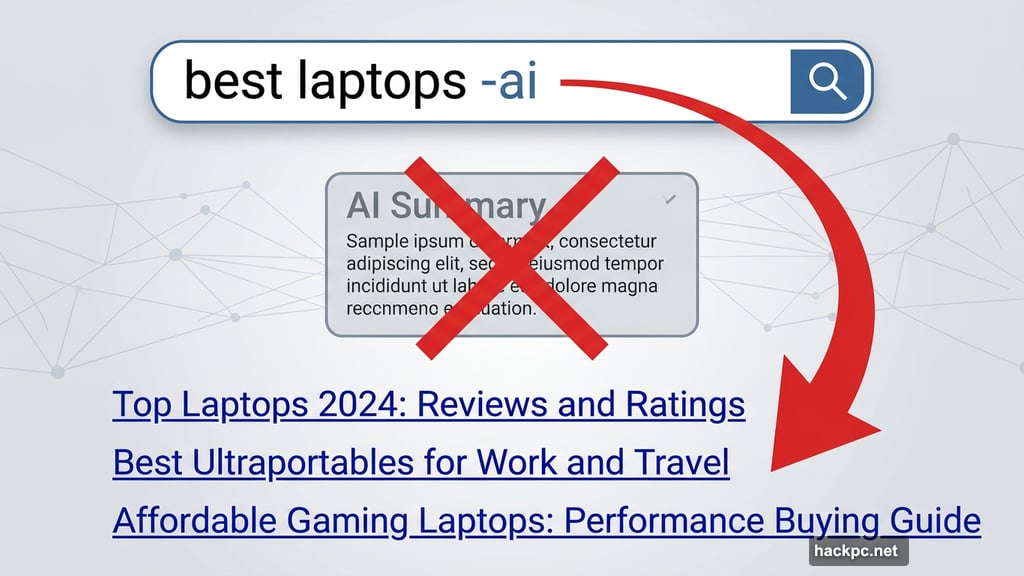
Typically, the minus sign tells the search engine to ignore specific words. So, putting it before “ai” forces the system to exclude the AI summary feature.
Furthermore, typing these commands saves you from digging through complex settings menus. Plus, it saves you from endless scrolling past robotic paragraphs.
Master Advanced URL Site Search Options
Once you learn the minus trick, you can explore other powerful commands. Indeed, memorizing a few extra operators supercharges your web browsing.

For instance, typing site: followed by a website URL forces Google to only search within one specific domain. Also, putting your keywords in double-quotes guarantees exact phrase matches.
Additionally, you can use filetype: to hunt down specific PDFs or spreadsheets. Finally, you can use date ranges to filter out outdated information. Ultimately, typing these text shortcuts is much faster than clicking around with your mouse.
Search engines should help you find information quickly. However, bloated features often get in the way of that primary goal.
These simple text commands put you back in the driver’s seat. So, start using them today. You will save time, avoid frustration, and get exactly the search results you need.




Comments (0)