

Google has been quietly weaving AI into nearly every corner of Google Workspace. Docs, Gmail, Sheets, Slides, Drive, Meet, Calendar, Chat, Vids, and Forms have all received Gemini upgrades. But with so many features rolling out at once, it’s easy to feel overwhelmed.
The real question isn’t what Gemini can do. It’s what actually saves you time on a normal workday. So let’s walk through the standout features, app by app, and skip the ones that are mostly hype.
Docs: Smart Summarization and Style Matching
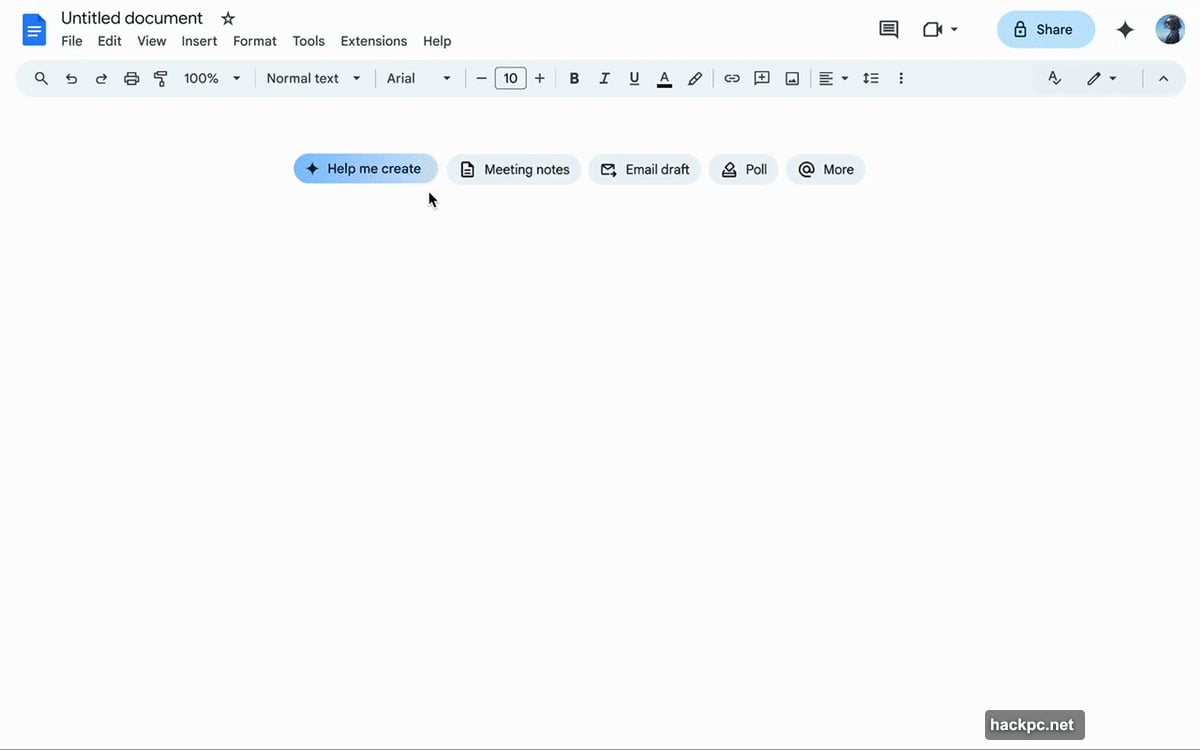
The most practical Gemini feature in Docs is automatic summarization. Instead of reading through a 30-page report, you can ask Gemini for the key points or a quick outline. It’s a genuine time-saver, especially when you need to quickly brief a colleague.
There’s also a “Help me create” tool that generates first drafts. You describe what you want, say a newsletter or a project report, and Gemini pulls context from your Drive, Gmail, and Chat to build a starting point. That cross-app awareness is what makes it genuinely useful rather than just a basic text generator.
Two other features worth knowing: “Match writing style” smooths out inconsistencies when multiple people contribute to the same document, and “Match the format” copies the structure of another file. Both are currently in beta, but they already work well enough to use regularly.
Gmail: Taming the Inbox Chaos
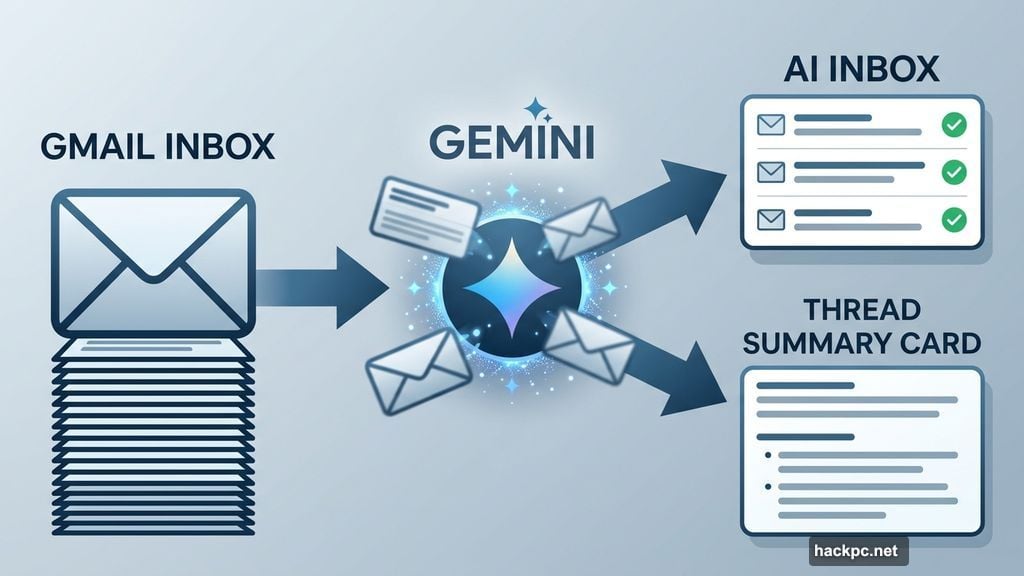
If your inbox regularly spirals out of control, Gemini’s tools here are probably the most immediately valuable in all of Workspace. The “AI Inbox” feature filters out noise and surfaces the emails that actually need your attention, like appointment reminders or time-sensitive requests.
Long email threads get a summary card right at the top, so you don’t have to scroll through twelve back-and-forth messages just to catch up. That alone is worth the price of admission for anyone dealing with high email volume.
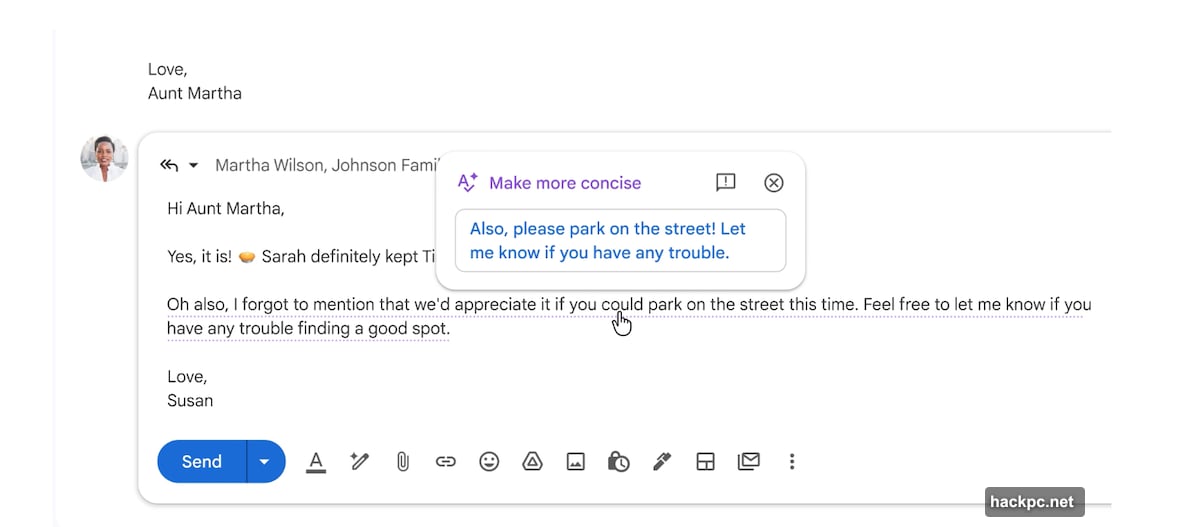
The “AI Overview” feature takes things a step further. You can ask a question like “Who gave me a plumbing quote for the bathroom last year?” and Gemini will search your inbox and surface the relevant thread. Plus, contextual smart replies can generate longer, more detailed responses based on the conversation, not just one-word suggestions.
Sheets: Structured Data Without the Manual Work
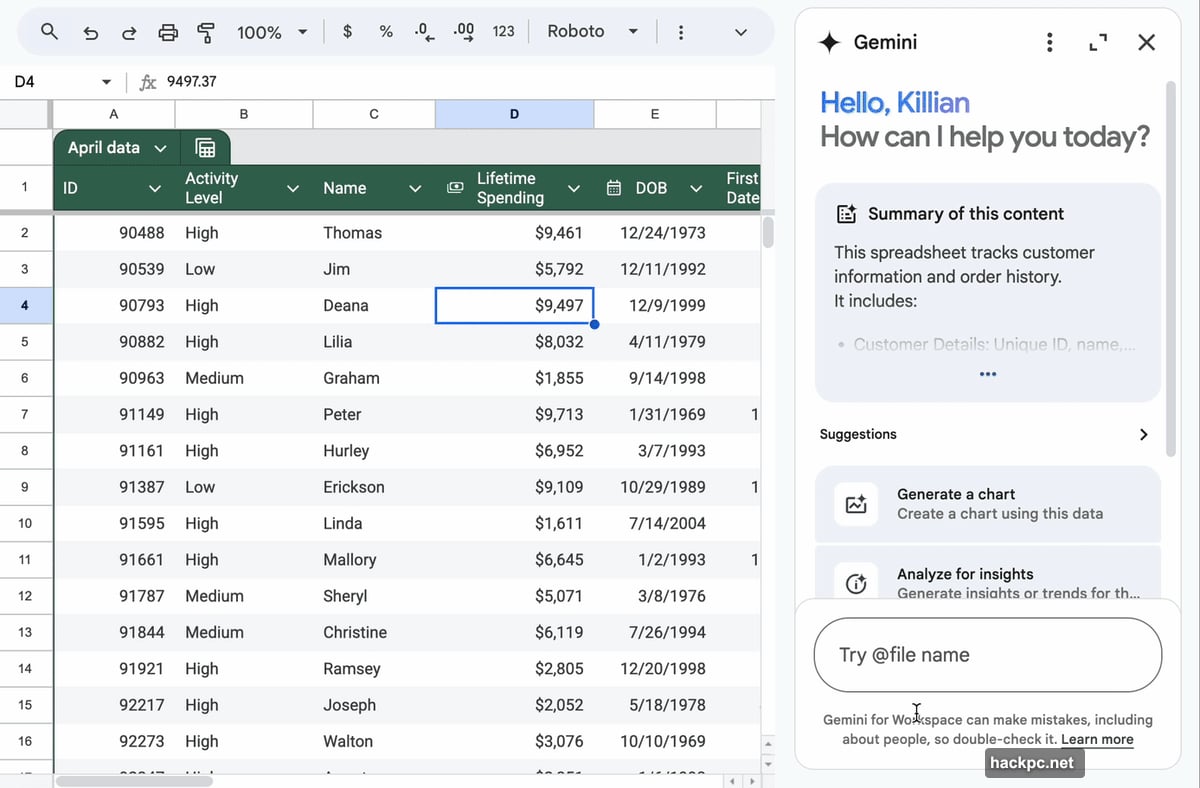
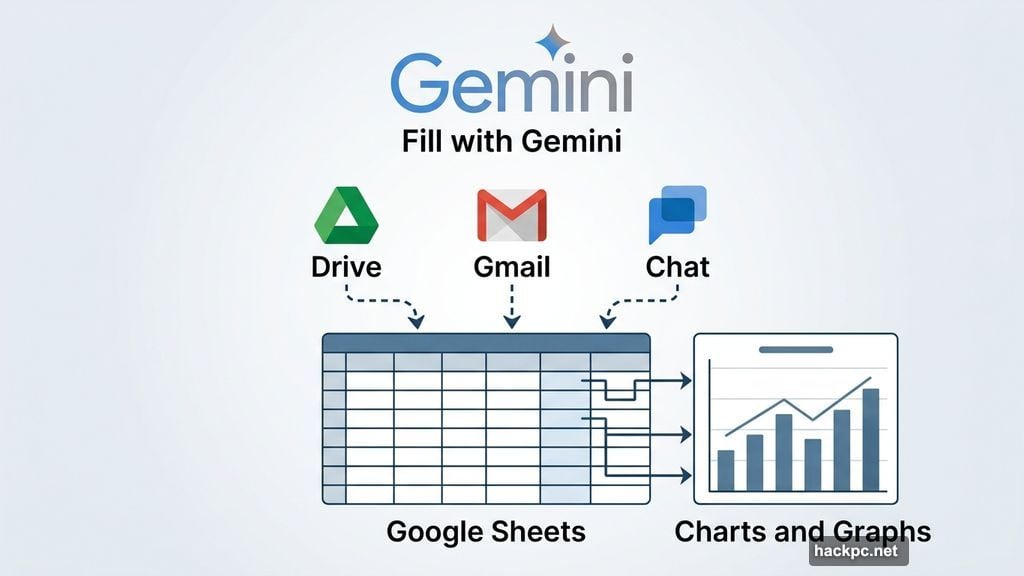
Gemini in Sheets can take a single prompt and pull relevant information from Gmail, Chat, and Drive to build a fully structured spreadsheet. That means less time copying and pasting data from different places.
The “Fill with Gemini” feature speeds up populating tables when you’re starting from incomplete or raw data. Gemini can also generate charts and graphs from your data automatically. So if you need to visualize trends quickly, you don’t have to fiddle with chart settings manually.
Slides: Faster First Drafts for Presentations
Creating presentations is one of those tasks that takes forever and rarely feels rewarding. Gemini’s strength in Slides is handling the repetitive formatting work so you can focus on the content itself.
You can prompt it with something like “create a five-slide deck summarizing our Q1 results,” and it will build a presentation that matches your theme, organizes content into slides, and adds bullet points and visuals. From there, tweaking individual slides is straightforward. There’s also a “refine text” feature for shortening paragraphs or rephrasing sentences.
As a bonus, Google’s image-editing model Nano Banana lets you adjust images directly within Slides without jumping to another app.
Meet: Never Lose Track of What Was Decided
Automatic note-taking is the standout feature in Meet, and it genuinely changes how meetings feel. Instead of trying to listen and type at the same time, you let Gemini capture key points, decisions, and action items. After the call, everything is organized and ready to share.
Joining a meeting late is also less stressful now. You can ask Gemini what you missed and get a quick summary without interrupting the conversation. Other practical upgrades include real-time translated captions and audio distortion reduction, which make calls easier to follow for everyone.
Drive: Search Across Everything at Once
Gemini in Drive turns your file storage into something closer to a knowledge base. You can ask it to summarize a marketing plan, pull specific targets from a document, or draft updates based on your latest files, without opening each one individually.
The “AI Overview” feature generates a summary of the most relevant information across multiple documents and shows you where each detail came from. A beta tool called “Ask Gemini in Drive” goes even further, letting you ask complex questions across your calendar, documents, emails, and the web simultaneously.
Calendar: Smarter Scheduling Without the Back-and-Forth
The “Help me schedule” feature is one of Gemini’s most practical additions to Calendar. You describe what you need, and Gemini suggests the best times based on everyone’s availability. It can factor in preferences too, like avoiding early morning slots.
Gemini connects directly to Gmail to detect open time slots, so suggestions are grounded in actual availability rather than guesswork. Event creation is also faster. You type something like “Lunch with Nick,” and Gemini generates a full calendar event with date, time, and location suggestions. For rescheduling, it identifies alternative times that minimize conflicts across larger groups, which saves a lot of manual back-and-forth.
Chat: Finding What Matters in Busy Channels
In active team channels, important decisions and action items tend to get buried fast. Gemini in Chat can summarize a space, highlight key decisions, or extract action items without you scrolling through everything.
It can also draft replies based on conversation context and learns from past interactions to make suggestions feel more natural. Another useful capability is connecting chats with shared files. You can ask questions about a document shared in a conversation without opening it separately.
Vids: AI-Assisted Video Production
Gemini in Google Vids helps generate polished video content from scratch. You can prompt it to build a rough cut based on a topic, and it will suggest scenes, structure a narrative, and draft scripts automatically.
It handles voice-overs too, generating script variations and adjusting tone. Transcript trimming automatically identifies filler words and awkward pauses, so cleanup is faster. There’s also the ability to convert an image to video using Google’s Veo 3 model, and you can use an AI-powered avatar as the on-screen presenter if you don’t want to appear on camera.
Forms: Surveys That Actually Ask the Right Questions
Gemini in Forms lets you describe what you want, like a customer satisfaction survey, and generates a complete form with relevant questions and answer formats. It can also refine existing questions, suggest clearer wording, and flag gaps that might lead to low-quality responses.
Perhaps most useful is the automatic results summarization. As responses come in, Gemini highlights trends and key takeaways directly within Forms. So instead of exporting everything to a spreadsheet to analyze it, you get immediate insights in the same place you built the survey.
Not every Gemini feature across Workspace will change your life, and that’s fine. But the ones that genuinely earn their place are the ones that handle the repetitive, information-management parts of work. Summarizing, drafting, organizing, scheduling, and tracking are all things that eat time without adding much creative value. Gemini handles those reasonably well, which frees you up for the work that actually needs your judgment.
If you haven’t explored these tools yet, the best entry points are Gmail’s inbox management, Meet’s automatic note-taking, and Docs summarization. Start there, get comfortable, and work outward. You’ll probably find a few features that stick quickly.




Comments (0)