
Microsoft Outlook had a rough Monday. Starting just before 5 a.m. ET, users across the country found themselves locked out of their email with little explanation and even less access.
The good news? Microsoft says the fix is in. The frustrating news? If you’re on an iPhone, you’re not quite done yet.
What Caused the Outlook Sign-In Failures
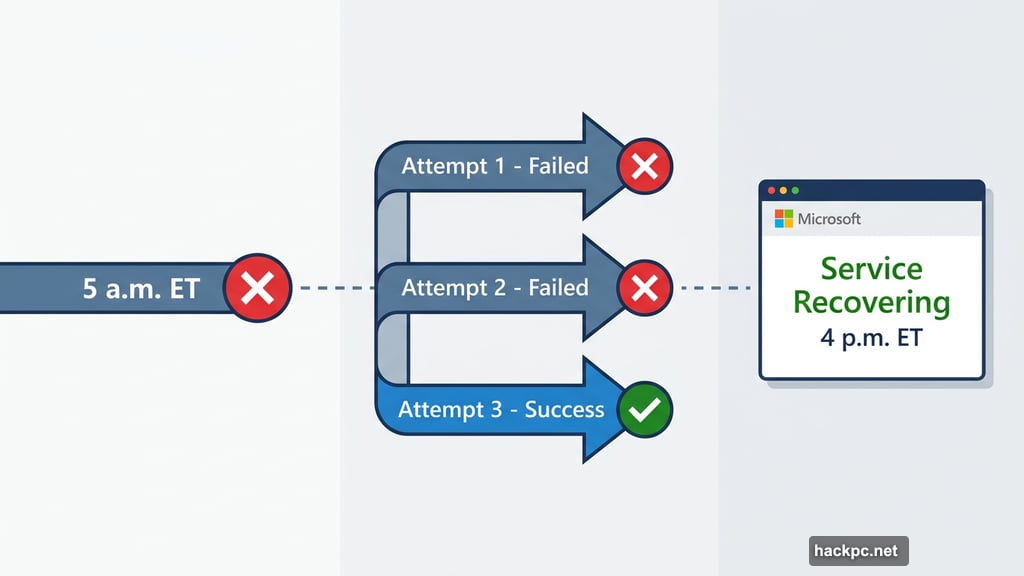
After hours of investigating, Microsoft traced the problem back to a recent backend configuration change. Engineers rolled back that change, and by around 4 p.m. ET, the company’s status page confirmed that service health was recovering.
It wasn’t a smooth road to that fix, though. Microsoft actually attempted multiple rollbacks before the third one finally stuck. An earlier attempt around 2:49 p.m. ET failed to provide any relief, which meant engineers had to keep digging. That’s a long, stressful day for everyone involved, including the people who just needed to check their inbox.
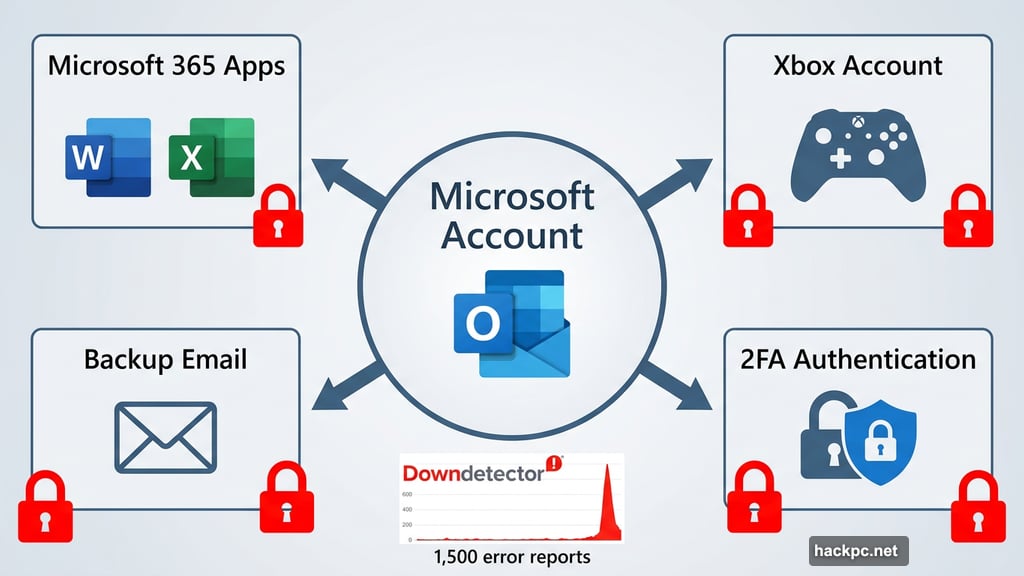
At its peak, Downdetector recorded about 1,500 concurrent error reports. By late afternoon, that number dropped below 1,000 for the first time all day, which is a solid sign that things were getting back to normal.
iOS Users Need to Take One More Step
Here’s where it gets a little hands-on. Even after Microsoft declared the outage resolved, iPhone users were still getting locked out. That’s because iOS handles account credentials differently, and the configuration rollback alone doesn’t automatically restore your login on Apple devices.
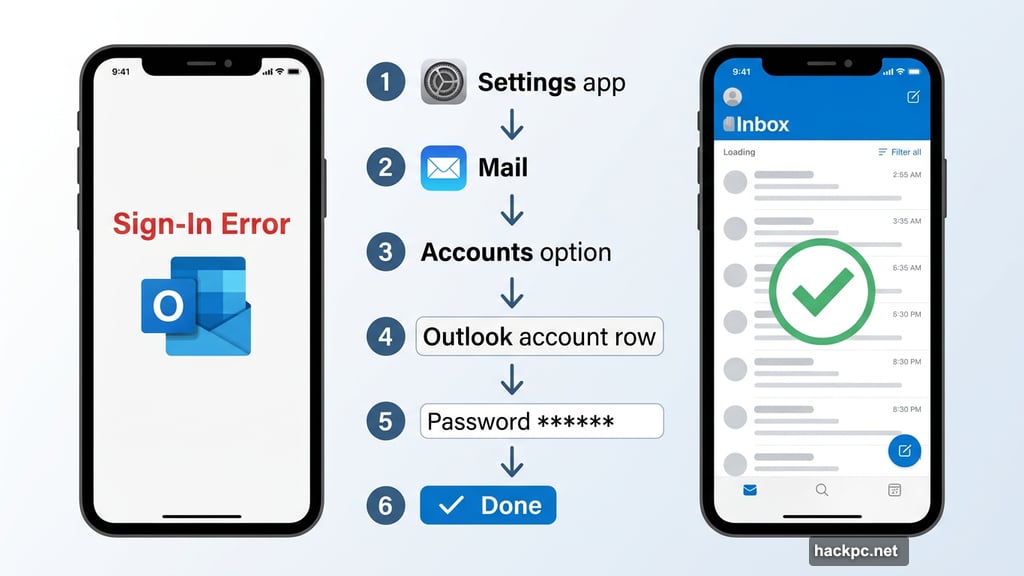
Microsoft flagged this clearly in its service status update, calling the extra steps mandatory for iOS users. So if you’re still staring at an error screen on your iPhone, here’s exactly what to do:
- Open the Settings app on your iPhone
- Scroll down and tap Mail
- Select Accounts under the Mail settings
- Tap the Outlook or Microsoft email account you need to fix
- Tap Account Settings or directly on the Password field
- Enter your correct password
- Tap Done to save
- Open the Mail app to confirm your emails are loading properly
That should get you back up and running. If it doesn’t, double-check that you’re entering the right password and that your account hasn’t been locked for too many failed attempts.
The Outage Hit Harder Than Just Work Email
Some people discovered the Microsoft Outlook outage had some pretty annoying ripple effects. Because Microsoft accounts tie into so many services, two-factor authentication (2FA) lockouts became a real problem.
Users on Reddit’s r/Outlook community, which sees about 202,000 weekly visitors, shared stories of getting locked out of Microsoft 365 apps, backup email accounts, and even their Xbox accounts. One particularly frustrated user couldn’t get work done and couldn’t even escape into gaming. That’s rough.
It’s a good reminder of how deeply interconnected our digital lives have become. One email outage and suddenly you can’t access half your apps.
Copilot Had Separate Problems the Same Day
Worth noting: if you ran into Microsoft Copilot issues on Monday, that was a completely separate incident. Microsoft confirmed that a portion of its Copilot infrastructure in North America was consuming too many resources, which caused service degradation for the AI assistant.
Microsoft identified the issue using admin code CP1293219 and said it was rebalancing traffic to fix it. So two Microsoft services, two different problems, same very bad Monday.
Teams Stayed Up Through the Whole Thing
One bright spot? Microsoft Teams kept running normally throughout the Outlook outage. So while you may have had a solid excuse to dodge your inbox, your calendar and video calls were still very much active.
If anything, this outage is a useful nudge to think about your own account setup. Having a backup email tied to a different provider is a smart habit, especially if your Microsoft account is your key to multiple services. One longtime Hotmail user who’s had the same address for over 20 years said the outage had them seriously considering switching providers. That’s a big deal.
Outages happen. Even to massive platforms with thousands of engineers. But how you recover from them, especially on mobile, matters just as much as the fix itself.



Comments (0)