

Autodesk Flow Studio quietly added something genuinely interesting to its creative toolkit. It’s called Wonder 3D, and honestly, the name alone raises more questions than it answers.
When it was first introduced as “Text 2 3D,” even seasoned users weren’t sure what to make of it. A tool that turns typed letters into 3D shapes on screen? Not quite. The renamed Wonder 3D is something far more exciting, and it’s worth spending some time exploring what these new Wonder Tools actually do.
So let’s walk through all of it together, from what you get for free to whether any of this is worth your time.
Wonder 3D: Generative AI Meets 3D Modeling
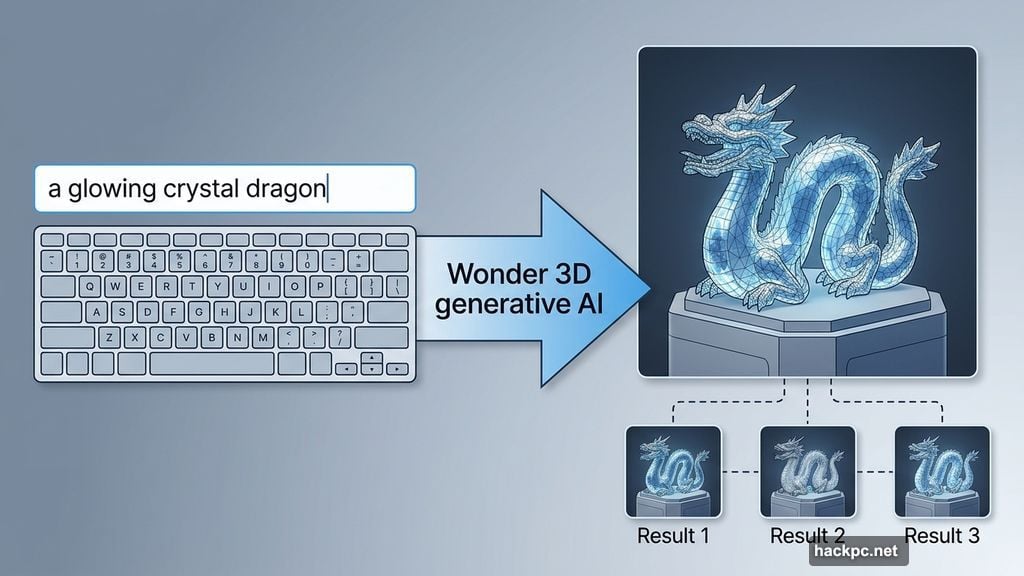
Wonder 3D is Autodesk’s new generative AI model, built right into Flow Studio. Think of it like the AI image generators you may have used before, where you type a description and the software creates something visual. Only here, the output isn’t a flat image.
Instead, Wonder 3D produces fully formed 3D models. You describe what you want, or hand it a photo, and the algorithms do the heavy lifting from there.
Autodesk describes the service as being “designed to help you explore more ideas, faster, without locking you into a single result.” That philosophy carries through in how the tools actually work, giving you multiple variations rather than one rigid output.
Getting Into Flow Studio
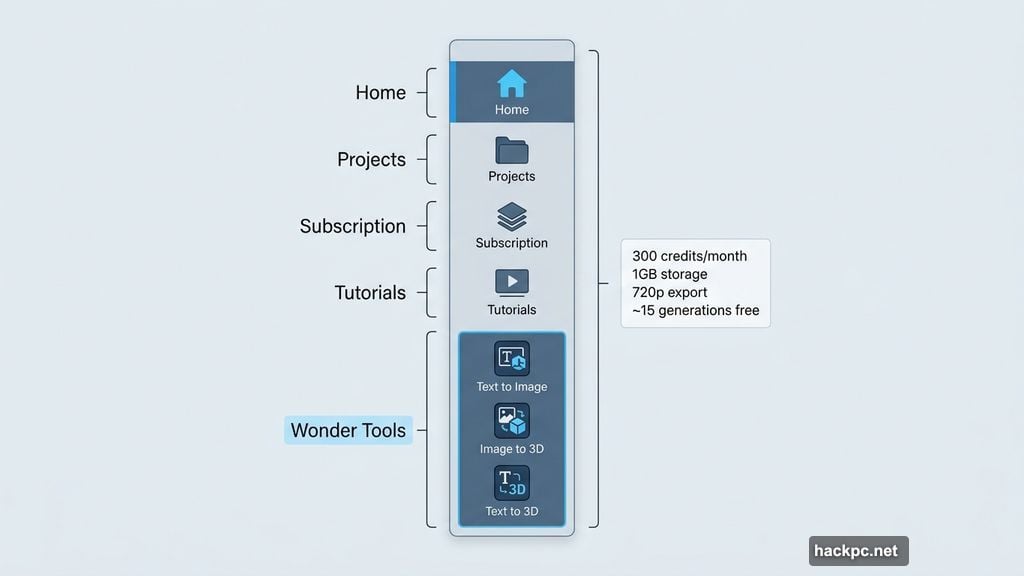
Flow Studio isn’t entirely free, but there’s a workable free tier that lets you genuinely test these tools. The free plan gives you 300 credits per month, 1GB of online storage, and video exports capped at 720p resolution.
One thing worth noting right away: you don’t need to hand over any payment details to get started. Just an email address, and you’re in.
If you want to go deeper, paid plans start at $6 per month and go up to $51, all on annual contracts. As you climb the tiers, you get more monthly credits, more storage, and progressively higher export resolutions.
Once inside the dashboard, Wonder Tools are tucked into the left sidebar. Scroll past the home button, your projects, the subscription prompts, and the tutorials section, and you’ll find them waiting at the bottom.
Three Free Wonder Tools Worth Knowing
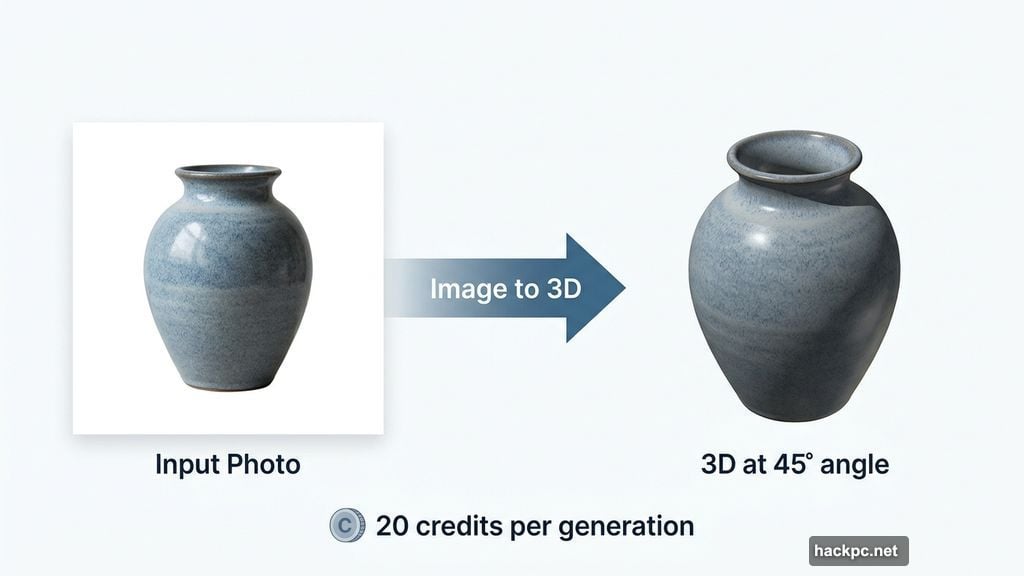
The free tier unlocks three Wonder Tools: Text to Image, Image to 3D, and Text to 3D. Each generation costs 20 credits, giving free users about 15 attempts per month across all three tools.
That per-generation cost stays the same regardless of which subscription tier you’re on, so you’re not penalized for upgrading when it comes to individual generations.
One credit policy worth knowing upfront: if you regenerate the same prompt because you didn’t like the result, you pay another 20 credits. However, if a generation fails on Autodesk’s end, the credits get refunded automatically. That’s a fair policy, though it does mean you’ll want to put thought into your prompts before hitting go.
Text to Image: Straightforward and Familiar
If you’ve used any AI image generator before, Text to Image will feel immediately comfortable. Type your description into a 600-character text field, hit generate, and the tool produces an image based on your prompt.

Switching between the three Wonder Tools is easy, too. Once you’re inside any one of them, a small sidebar lets you jump between Text to Image, Image to 3D, and Text to 3D without retracing your steps through the main menu. It’s a small detail, but it makes the workflow feel considerably smoother.
Image to 3D: The Standout Performer
Image to 3D is the tool that genuinely impresses. You drop in a photo, and Flow Studio extracts a full 3D model from it, no instructions needed beyond the image itself.
A few practical compatibility points to keep in mind. The tool doesn’t handle HEIC files, which is Apple’s default image format on iPhones and iPads. You’ll need to convert those to JPEG, PNG, or WebP first. PNG files work well, but there’s a 15MB size limit to be aware of. Also, landscapes without a clear subject tend to trip the tool up. It needs something specific to extract and build from.
Beyond those minor hurdles, the results are genuinely impressive. Testing it with a complex IKEA toy octopus, all tentacles and tricky geometry, the algorithm reconstructed not just the visible surfaces but figured out the hidden angles too. An intricate stone buddha produced similarly strong results. The tool consistently delivered four different 3D model variants, each with different polygon counts (flat surface counts) and vertex numbers (individual points in 3D space), letting you choose the one that best fits your project before proceeding to full rendering.
Text to 3D: Four Models From One Prompt
Text to 3D combines the text input of Text to Image with the 3D output of Image to 3D. You type a description, spend 20 credits, and receive four distinct 3D model variations in return.
This is where it diverges from Image to 3D in an interesting way. Since you’re starting from text rather than a single reference photo, the four variants aren’t slight variations on one captured object. They’re genuinely different interpretations of your prompt. Some will be closer to what you imagined; others will take the description in unexpected directions.
If none of the four land close enough to your vision, regenerating costs another 20 credits. But if one works, the next steps mirror the Image to 3D process: select your preferred variant, review the detail options, and generate the final rendered version.
Worth the Free Credits?
Flow Studio’s Wonder Tools manage to add real capability without burying users in complexity. The interface could use some refinement in spots, particularly around how Wonder Tools are discovered in the sidebar, but once you’re inside the tools themselves, the experience is clean and direct.
The free monthly allowance of 300 credits gives you roughly 15 attempts across all three tools. That’s genuinely enough to form a real opinion about whether these tools fit your workflow, and the credits renew every month, so there’s no pressure to rush.
Of the three, Image to 3D stands out most. The ability to hand the software a single 2D photograph and receive a detailed, textured 3D model back in a few minutes still feels a little like watching something magical happen. Text to 3D is close behind for moments when you’re working from imagination rather than existing objects.
If you’ve been curious about generative AI for 3D work but haven’t found an approachable entry point, Flow Studio’s Wonder Tools make a compelling case for spending an afternoon experimenting.




Comments (0)