
Avira sounds like a solid deal on paper. Affordable plans, a generous free tier, and device optimization tools that genuinely impress. But spend a few days actually using it, and the cracks start to show.
I tested Avira Prime — the company’s top-tier cybersecurity suite — to find out whether the price tag translates to real-world value. The short answer? It depends entirely on what you need. Avira handles background protection well and its device cleanup tools are among the best I’ve seen bundled with any antivirus. But the VPN is a disaster, customer support is inconsistent, and privacy-focused users will feel underserved.
Here’s the full picture.
Plans and Pricing: Affordable Entry, Pricey at Scale
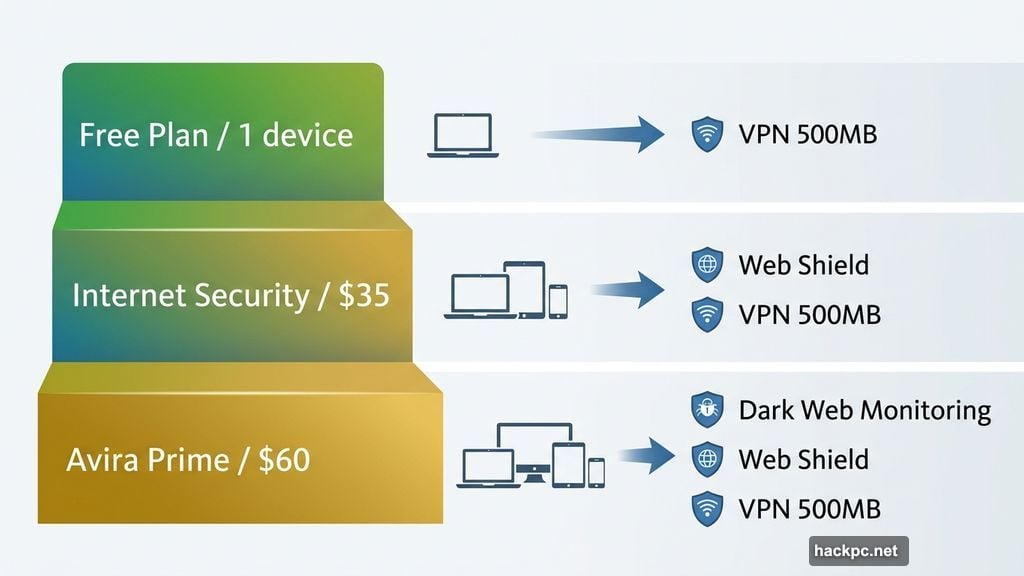
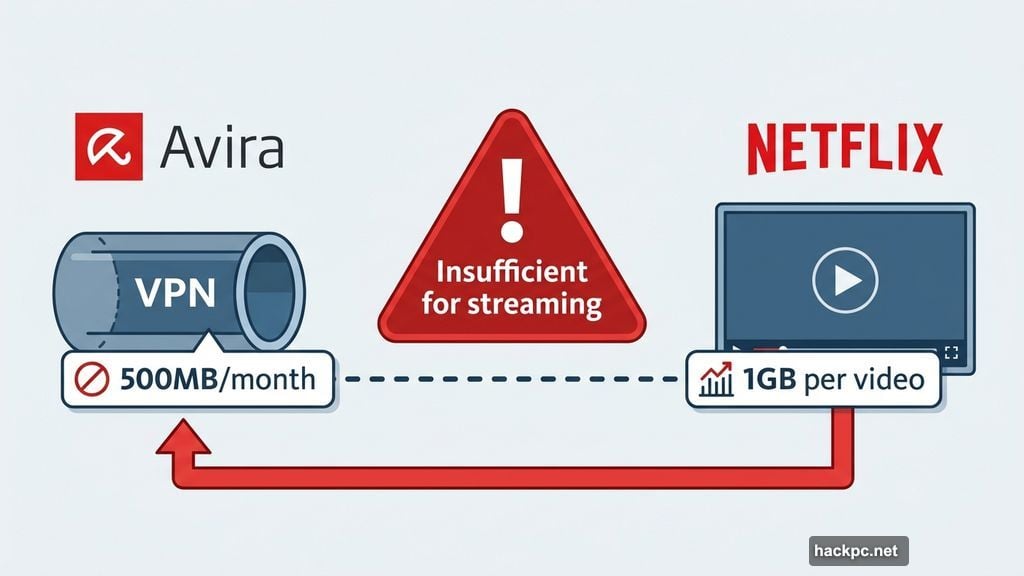
Avira offers three main tiers. The free plan covers one device and includes real-time antivirus protection, a safe browsing extension, a basic password manager, and 500MB of VPN data per month. That VPN limit is almost laughably small — streaming a single standard-definition Netflix video can eat up 1GB — so treat it as a bonus feature, not a real privacy tool.
Avira Internet Security starts at $35 for the first year (renewing at $71) and adds Web Shield, a firewall, unlimited VPN access, and expanded device optimization tools. You can extend coverage to three or five devices, though those plans carry no introductory discounts.
Avira Prime starts at $60 for the first year (renewing at $110) and covers five devices. A 25-device plan runs $135 per year. Prime includes dark web monitoring, advanced PC cleanup tools, Android and iOS apps, and Email Shield. For five-device coverage, this is competitive with Bitdefender’s Premium Security and slightly better value than Malwarebytes’ Plus plan. But if you’re managing more than five devices, Bitdefender’s Ultimate Security Family plan and McAfee’s Plus Advanced both undercut Avira on price while offering more features.
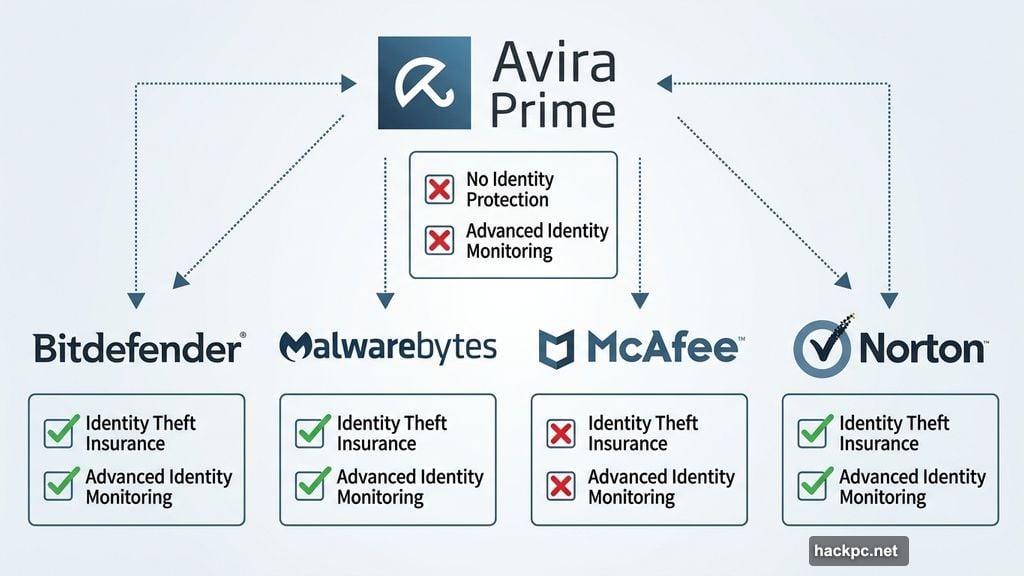
One important gap: Avira doesn’t include identity theft protection or advanced identity monitoring on any plan. Bitdefender and Malwarebytes both offer this on their top tiers, including identity theft insurance. For anyone with significant financial assets or a history of data exposure, that’s a meaningful absence.
Setup and Usability: Surprisingly Smooth
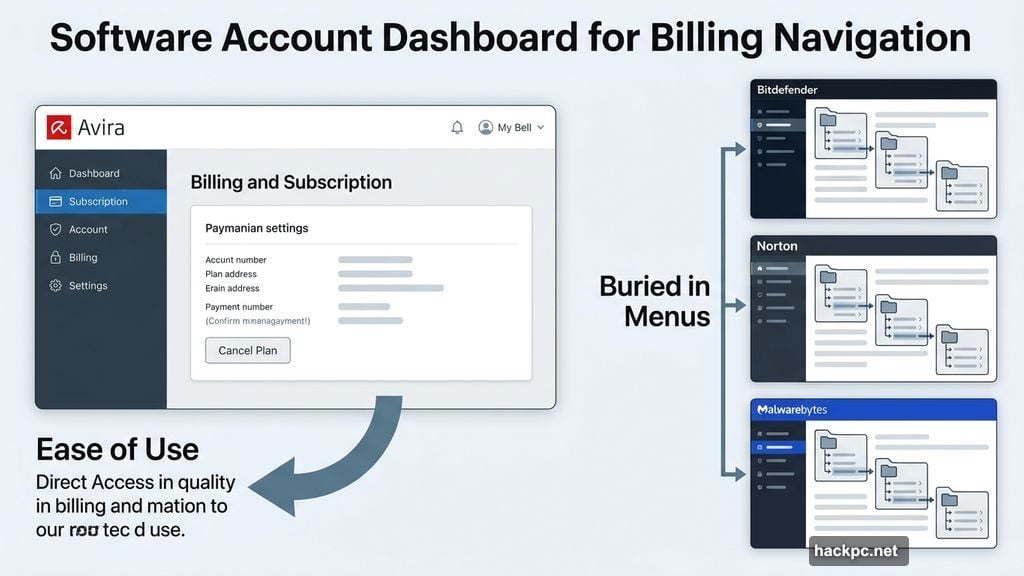
Avira’s account setup is one of its genuine strengths. After creating an account, you land directly on a billing and subscription page — which sounds mundane but is actually refreshing. Bitdefender, Malwarebytes, and Norton all bury billing information deep in their dashboards. Avira puts it front and center, making it easy to manage or cancel your plan without hunting through menus.
Installation took about two minutes and required just one click. The antivirus installed automatically without a lengthy wizard process. Avira also quietly installed System SpeedUp Pro — its device optimization tool — without asking first, which felt a little presumptuous.
The main antivirus screen is clean and easy to navigate. A large smart scan button sits prominently in the center, and a sidebar gives access to security, privacy, and performance tools. However, the home screen doesn’t show the status of your VPN or other tools the way Norton or Bitdefender do. You can reach everything through the sidebar, but it’s less informative at a glance.
![Screenshot showing Avira Prime’s main dashboard with smart scan button and sidebar navigation for security, privacy, and performance tools]
The Android app follows the same design logic. It downloaded quickly, requested necessary permissions clearly, and connected to my account without friction. Whether you’re comfortable with technology or still learning, Avira’s interface won’t give you trouble.
Background Performance vs. Active Scan Performance
Here’s where things get interesting — and a bit alarming.
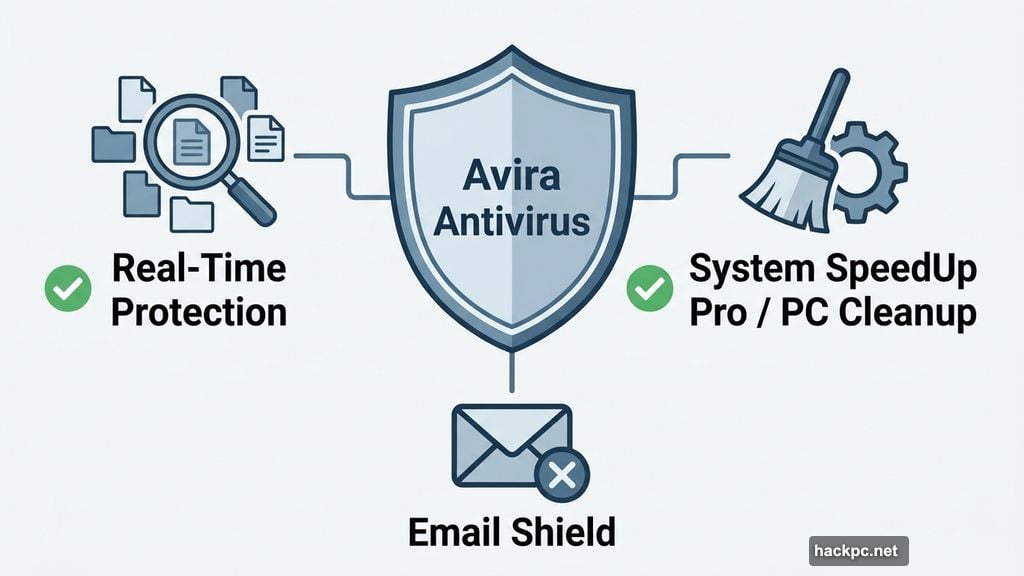
Running Avira in the background for two days, I noticed virtually no impact on speed or responsiveness. Avira used roughly 0.6% of CPU power and between 40 and 50MB of memory while idling. That’s on par with Bitdefender and Malwarebytes, which are widely considered best in class for low background resource use.
Active scans are a completely different story. Smart scans finished in about one to two minutes and used between 3% and 30% of CPU power — perfectly reasonable. They also searched for more than just malware, flagging junk files, browser cookies, and poorly optimized settings. That multi-purpose scan is genuinely useful, and Avira resolves the issues it finds without trying to upsell you on extras.
Full scans, though, are brutal. My CPU usage shot up to 80% to 90% during every full scan I ran, and each scan took 14 to 15 minutes. For context, Bitdefender and Malwarebytes typically run deep scans using far fewer resources. The only antivirus I’ve tested with similarly resource-heavy scans is McAfee — not exactly the comparison you want to invite.
These weren’t one-off results. Every full scan produced the same numbers. If you plan to run full scans regularly — especially while working on other tasks — expect your computer to slow down noticeably.
Device Optimization: The Strongest Argument for Avira
System SpeedUp Pro is where Avira genuinely earns its keep. Most antivirus suites tack on basic cleanup tools as an afterthought. Avira built a comprehensive optimization package that includes:
- A Quick Optimizer that scans for junk files, registry issues, storage problems, and slow-loading startup apps — and fixes everything in about two minutes
- A Power Cleaner for removing cache, unused files, and browser data
- A Startup Optimizer that lets you control which apps launch at boot, delay them, or disable them entirely
- Bonus tools for file encryption, disk defragmentation, duplicate file removal, and backup creation
The full optimizer scan I ran found nearly 1GB of data to clean up in under a minute. Cleanup finished just as fast. Among all the cybersecurity suites I’ve reviewed, only AVG’s TuneUp program comes close to this level of device optimization. For anyone who wants to simplify PC maintenance without learning a separate specialized tool, this is genuinely compelling.
Safe Browsing Tools: Mixed Results
![Avira’s safe browser interface showing Privacy Guard settings with basic, balanced, and strict tracker-blocking modes alongside the side panel with search and Smart Chat features]
Avira offers two safe browsing options: a dedicated secure browser and an extension for Chrome, Firefox, Opera, and Microsoft Edge.
The safe browser works well. It includes Privacy Guard for blocking ads and trackers (with basic, balanced, and strict settings), Web Shield for suspicious website protection, Email Shield, and a privacy cleaner for wiping browsing data quickly. There’s also a built-in AI chatbot, an aggregated news feed, quick-access tools like a calculator and currency converter, and a simple note-taking feature. It’s a fully functional browser with some nice extras.
The browser extension is a different story. During my testing, every website I visited was flagged as safe — including sites with clearly visible ads. The tracker and ad blocking didn’t appear to work at all. I tried enabling blocking multiple times with no result. Based on my experience, the extension offers little practical protection. Bitdefender’s and Malwarebytes’ browser extensions performed significantly better, actively blocking trackers and showing real-time statistics.
Password Manager and Dark Web Monitoring
Avira’s password manager uses AES-256 encryption — the industry standard — and supports two-factor authentication. It autofills passwords and payment information, generates new passwords, and stores encrypted wallet data for credit cards. You can also import passwords from your browser or another password manager. This covers everything most people need from a password manager.
The dark web monitoring tool, labeled “Identity Assistant” in the dashboard, scanned historical breach data and returned results the following morning. For my email address, it found 31 breaches dating back to 2015. Individual reports show when the breach occurred, what data was exposed, and sometimes where it was stolen from. You can even view specific compromised passwords after re-verifying your email.
This is useful, but it’s roughly equivalent to connecting to HaveIBeenPwned — which you can use for free. Bitdefender and Malwarebytes include more advanced identity monitoring and data removal tools on their premium plans, making Avira’s implementation feel basic by comparison. Also worth noting: dark web monitoring for non-German users is limited to a single email address, and identity theft protection is only available in Germany.
The VPN: Skip It Entirely
Avira’s VPN is the weakest part of the entire package. Speed loss averaged 91.7% across all servers I tested — the worst performance I’ve encountered in any antivirus-bundled VPN. Even the “optimal server” (the one closest to my location) caused an 85.2% download speed drop, falling from 596.5Mbps to 88.14Mbps. Connecting to Singapore dropped speeds to 24.13Mbps.
Beyond raw speed, the VPN lacks split tunneling and obfuscation. And while Avira claims a no-logs policy, there are no third-party audits or transparency reports to back that up. With a VPN, you’re trusting the provider with your full browsing activity. Without independent verification, that trust isn’t earned.
For a functional VPN, ExpressVPN, NordVPN, Proton VPN, Surfshark, or Mullvad are all vastly better options. Proton VPN even has a solid free tier with no data cap.
Security Testing Results: Good, But Not Consistent
Avira scored a 6 out of 6 in most AV-Test evaluations since late 2023, but slipped to 5.5 in June 2025. That inconsistency stands out when you compare it to Bitdefender, which has maintained perfect protection scores since 2019. Even Windows Defender earned a perfect score in every 2025 AV-Test.
Results from AV-Comparatives were more encouraging. In fall 2025, Avira achieved a 98.9% online detection rate and a 99.99% online protection rate — nearly identical to Bitdefender’s 98.8% detection and 99.98% protection figures. Offline detection came in at 97.8%, a reasonable drop that’s typical for most antivirus tools.
The overall picture suggests Avira performs well under normal conditions but isn’t as reliably consistent as the top-rated alternatives.
Privacy Policies: More Questions Than Answers
Avira’s privacy policy follows standard antivirus industry patterns, but “standard” doesn’t mean reassuring. The policy states that Avira collects product license data, usage information, browser activity, URLs accessed, network connection activity, crash dumps, system logs, and error reports. It’s genuinely unclear whether URL collection covers only Avira’s own websites or third-party URLs you visit during everyday browsing. It’s also unclear which products collect which types of data.
Avira does state that much of the collected data is pseudoanonymized or anonymized, which is a positive sign. But the explanation of how that process works is thin. The company shares data with third parties for payment processing and marketing purposes, though its list of data-sharing partners is less comprehensive than what Norton publishes. Whether that means Avira shares with fewer parties or simply discloses fewer of them is unclear.
For software that markets itself on protecting your security and privacy, this lack of transparency is disappointing — and a concern worth weighing before signing up.
Customer Support: Inconsistent at Best
Avira’s live chat connected me to a human representative in about one minute, with my questions answered clearly and thoroughly within 10 minutes. That’s a reasonable experience.
Phone support, however, is restricted to Avira Prime subscribers and only available from 9 a.m. to 11 p.m. CET. A permanent message on the phone support page warns of unusually high queue times and redirects users to live chat. When I called anyway, the wait was short — but the representative misheard me several times, turning a simple question into a 10-minute call.
Email support was the most frustrating experience of all. I submitted a ticket through the proper channel and never received a response. This happened in 2025 testing as well. It appears to be a consistent pattern, not an isolated incident.
Bitdefender handles email and phone support more reliably. Malwarebytes offers better live chat. If you expect to need frequent support, either of those companies will serve you better.
Who Should Choose Avira?
Avira makes the most sense for two specific types of users. First, people who want free, no-frills antivirus protection on a single device — the free tier is genuinely solid for basic coverage. Second, users who want a simple, affordable way to keep their device clean and running smoothly. System SpeedUp Pro is exceptional, and for someone who just wants their computer to stop being slow, the combination of decent antivirus and excellent optimization tools at Avira Prime’s price point is hard to beat.
For everyone else, the tradeoffs are harder to justify. The VPN is too slow to use. Identity monitoring is nearly absent. Privacy policies raise real questions. And full scans hit your CPU hard enough to disrupt actual work.
Bitdefender and Malwarebytes both offer more consistent antivirus performance, better privacy and identity monitoring, and more transparent practices. If device performance is your top priority, AVG’s TuneUp bundle is worth comparing. And whatever you choose, buy your VPN separately.
Avira isn’t a bad product. It’s just a very specific product. Know what you’re getting before you commit.
Post Title: Avira Antivirus Tested: Great for Device Cleanup, Rough Around the Privacy Edges
SEO Title: Avira Antivirus Review 2026: Features, Pricing & Performance
Meta Description: Avira sounds like a solid deal on paper. Affordable plans, a generous free tier, and device optimization tools that genuinely impress. But spend a few




Comments (0)