
If you’ve been shopping for antivirus software lately, you’ve probably noticed that the options range from “bare minimum” to “full digital bodyguard.” Bitdefender sits firmly in the second camp — and does it well.
After spending a week testing Bitdefender Ultimate Security on a real machine, the results were genuinely impressive. Fast scans, light system footprint, solid dark web monitoring, and customer support that actually picks up the phone. That’s a combination that’s harder to find than you’d think.
But nothing’s perfect. The VPN struggled during testing, individual plans cap out at five devices, and getting a human on live chat requires more patience than it should. So let’s break down what you’re actually getting here.
What Bitdefender Covers: Plans and Pricing
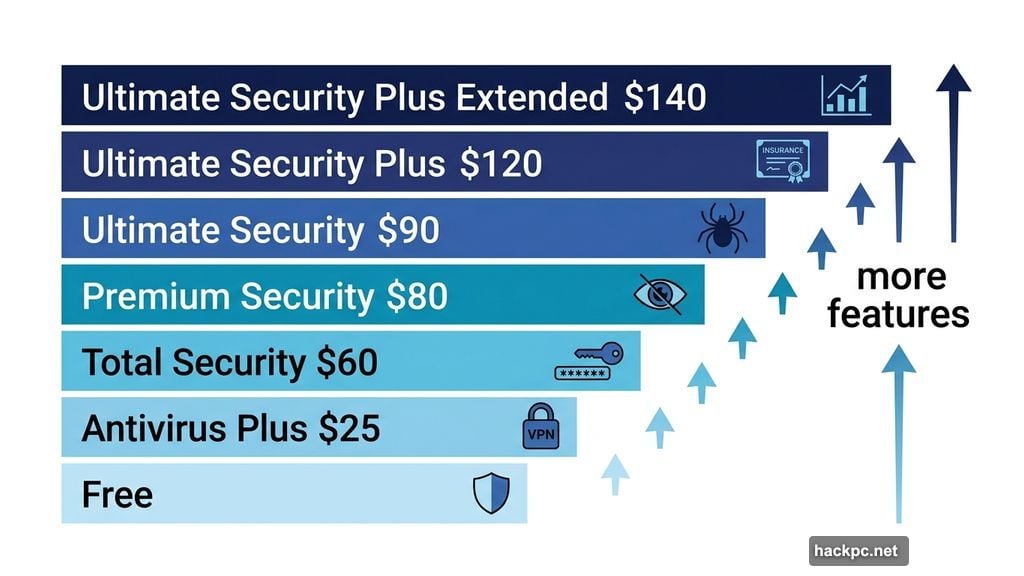
Bitdefender offers seven tiers of protection, ranging from completely free to a comprehensive identity protection suite. Here’s the quick rundown for individual plans:
- Bitdefender Antivirus Free — Basic real-time antivirus for one device, no payment required
- Bitdefender Antivirus Plus — Adds VPN (limited to 200MB/day) and data breach protection; starts at $25/year for one device
- Bitdefender Total Security — Covers up to five devices, adds a password manager; starts at $60/year
- Bitdefender Premium Security — Unlimited VPN, anti-tracker, email protection, AI scam detection; starts at $80/year
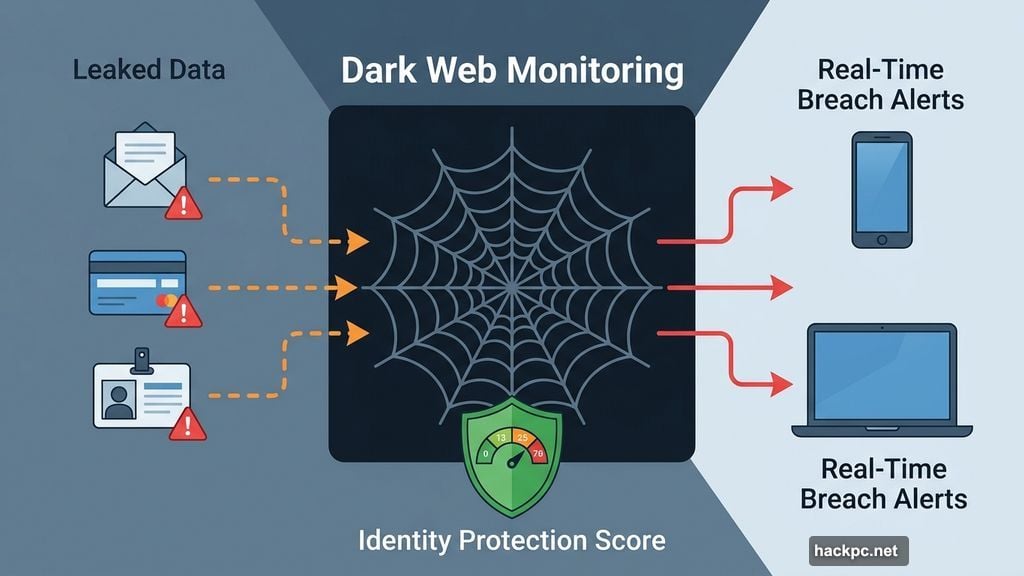
- Bitdefender Ultimate Security — Adds dark web monitoring, real-time breach alerts, identity protection score; starts at $90/year
- Bitdefender Ultimate Security Plus — Adds $1 million identity theft insurance, credit monitoring, medical ID fraud protection; starts at $120/year
- Bitdefender Ultimate Security Plus Extended — Bumps insurance to $2 million, adds investment alerts and ransomware resolution; starts at $140/year
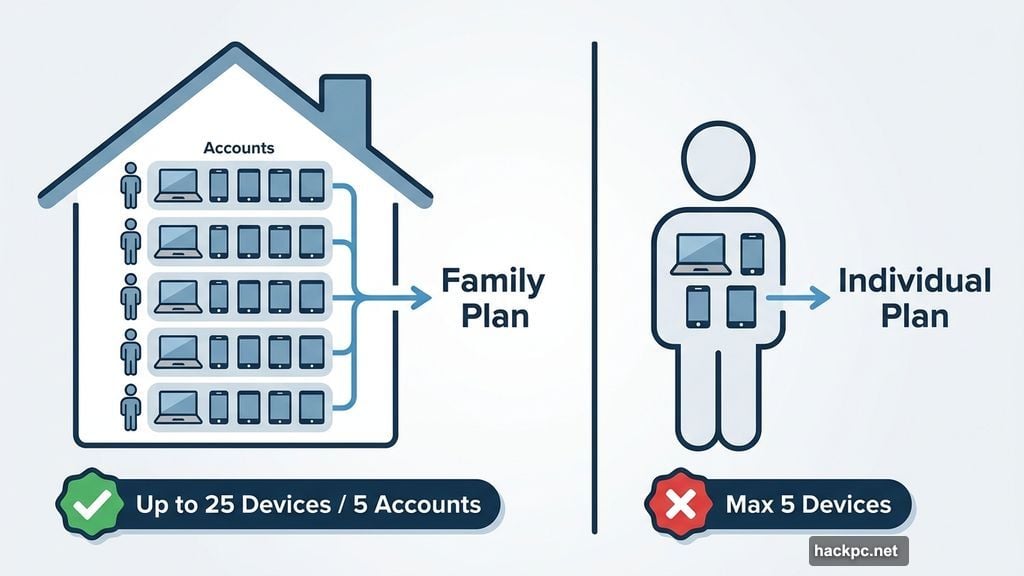
Family plans are available across most tiers, covering up to 25 devices across five accounts. That flexibility is genuinely useful for households with a mix of laptops, phones, and tablets.
One important caveat: every individual plan tops out at five devices. Competitors like Norton offer 10-device plans, and McAfee allows unlimited devices. So if your household runs six or more gadgets and you don’t want to jump to a family plan, Bitdefender might not be your best fit.
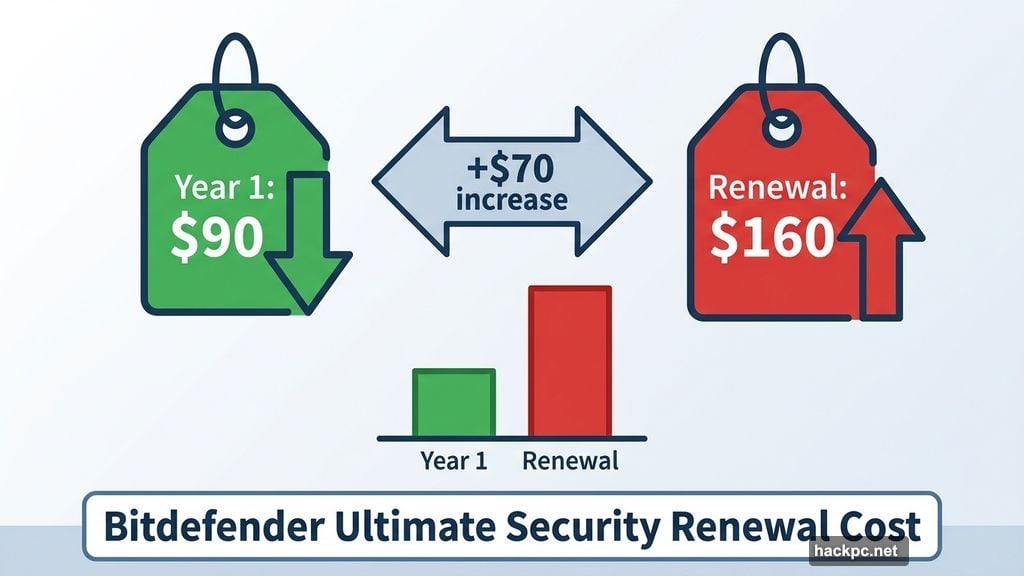
Also worth noting — renewal prices jump significantly. The $90 first-year price for Ultimate Security becomes $160 per year after that. If budget consistency matters to you, keep that renewal cost in mind before signing up.
Getting Started Is Refreshingly Simple
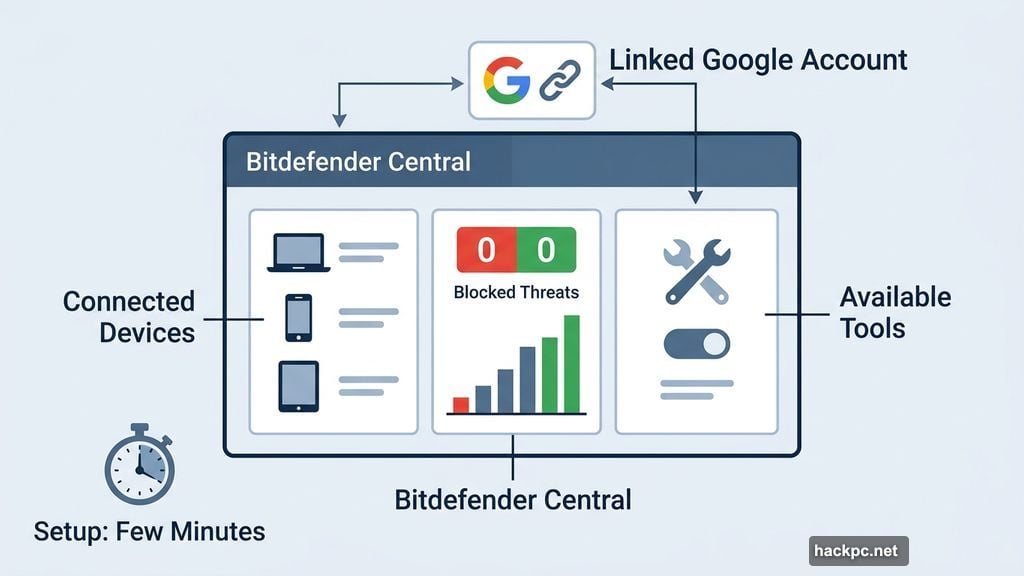
Setting up Bitdefender took just a few minutes from start to finish. After entering payment info and linking a Google account, the dashboard — called Bitdefender Central — loaded immediately with a clean, modern interface.
Bitdefender Central shows your connected devices, blocked threats, and available tools at a glance. Security news about emerging threats sits right there on the dashboard too, which is a nice touch for staying informed. Browser-based tools like the SecurePass password manager and Digital Identity Protection suite link directly from the sidebar.
The antivirus installation itself was equally smooth. The download took seconds, setup took about two minutes, and a helpful pop-up even showed where to find the downloaded file — a small detail that makes a real difference for less technical users.
One thing to watch: you’ll need to close all open browser windows to complete the installation. If you have 30 tabs open (no judgment), make sure your browser is set to restore sessions before starting.
After installation, Bitdefender prompts an initial system assessment — essentially a quick scan to catch any immediate issues. You can run it in the background while you continue working, and the whole thing wraps up in about two minutes.
Antivirus Performance: Genuinely Fast and Efficient
This is where Bitdefender really stands out from the crowd.
Testing was done on a Lenovo ThinkPad with an Intel i5 processor and about 50GB of stored data. During background operation, Bitdefender used just 0.2% of CPU power and roughly 500MB of memory. That’s low enough that you’d never notice it running during normal tasks, and even during more demanding work like video editing or gaming, the impact should be minimal.
Active scans were just as impressive. Even Bitdefender’s full system scan — the equivalent of what other tools call a “deep scan” — only consumed 7% to 10% of CPU power. The first full scan took 21 minutes. By the second scan, Bitdefender had learned the file system and finished in just three minutes.
Compare that to Malwarebytes, Bitdefender’s closest competitor in the testing: Malwarebytes used a similar 5% to 8% of CPU power but took nearly 30 minutes for every deep scan. Both tools are resource-efficient, but Bitdefender is noticeably faster.
Quick scans took about three minutes each and used between 4% and 7% of CPU power. The vulnerability scan — which checks for outdated software and weak system settings — was nearly instant. It surfaced five issues and provided clear guidance for fixing each one.
The Android app, tested on an older Motorola G Stylus, performed just as smoothly. Scans took about two minutes and had no noticeable impact on everyday phone use.
On independent lab tests, Bitdefender earned a perfect 6/6 security rating on every AV-Test evaluation since June 2022. AV-Comparatives reported a 98.8% detection rate for online and offline threats as of September 2025, with online protection reaching 99.99%. Those are excellent numbers by any standard.
The Extra Tools: Some Shine, One Disappoints
Browser Protection
The anti-tracking extension works beautifully. Available for Chrome, Firefox, and Microsoft Edge, it installs in a few clicks and runs automatically in the background. You can pin it to your taskbar to see exactly how many trackers it blocked on each site — a satisfying number on most major news sites and social platforms.
It didn’t interfere with browsing or noticeably affect system resources, and you can temporarily disable it for specific websites if needed.
Password Manager
SecurePass uses AES-256, SHA-512, and BCRYPT encryption, which represents solid, industry-standard protection. It connects to all major browsers plus Android and iOS. You can bulk import passwords from an existing manager or add them one by one, and two-factor authentication adds another layer of security.
Digital Identity Protection
This tool took a weekend to fully populate, but the results were comprehensive. It surfaced data breaches going back to 2012 and provided actionable guidance for each one. The digital footprint tab shows which companies hold your data, though the lack of risk ratings for individual sites is a missed opportunity — McAfee’s similar tool does a better job of flagging high-risk sites specifically.
Bitdefender currently tracks only the top eight data broker sites for removal requests, and you’ll need to submit removal requests manually. Norton and McAfee both automate this process, so if data broker removal is a priority, factor that in.
Email and Scam Protection
Results here were mixed. Bitdefender tagged every incoming email as safe or dangerous, which shows the system is working. However, it flagged a competitor’s press release as dangerous — likely because it mentioned the dark web — which raises questions about false positive rates. Scam protection on browsers and mobile didn’t generate any alerts during two days of testing, making it difficult to assess its real effectiveness.
VPN: The Weak Spot
Here’s the honest assessment: the VPN underperformed.
Testing started with a baseline internet speed of 493.29 Mbps download and 793.87 Mbps upload. Connecting to an optimal regional server in Canada actually produced slightly faster speeds (516 Mbps download), which can happen when a VPN routes around ISP throttling. But that result didn’t hold for other locations.
Connecting to a US server caused a 17% download speed loss — acceptable. But switching to UK servers cut speeds roughly in half. Connecting to Singapore and Australia made browsing nearly unusable. The average speed loss across all tested locations came in at 39.78%, well above the recommended maximum of 25%.
The VPN does include some useful features like split tunneling and double VPN servers. But for anything beyond basic privacy on nearby servers, a dedicated VPN will serve you much better. ExpressVPN, NordVPN, Surfshark, Proton VPN, and Mullvad all delivered more consistent performance across international servers during testing.
Customer Support: Phone Is Excellent, Chat Needs Work
Bitdefender offers a knowledge base, community forum, 24/7 live chat, 24/7 phone support, and email support. The quality varies by channel.
The knowledge base stands out with a good mix of text tutorials and video walkthroughs — something most antivirus companies skip. Phone support was genuinely impressive: nearly instant connection to a helpful agent who resolved everything in under three minutes. That’s an unusually positive phone support experience.
Live chat is more frustrating. Finding the contact button requires digging through the knowledge base, selecting a problem category, and then navigating past suggested tutorials. Once you reach chat, an AI bot intercepts your request and persistently deflects attempts to reach a human. It took four separate requests before connecting with an actual agent — who then resolved everything in five minutes.
Email support responded within an hour with a ticket confirmation, followed by further responses roughly every hour. The full exchange took about five hours, which is reasonable for non-urgent issues and faster than Malwarebytes’ 12-hour first response time.
One notable frustration shared across multiple antivirus providers: billing information and subscription cancellation options aren’t accessible through the dashboard. You’ll need to contact customer service to cancel, which feels intentionally inconvenient. Norton handles this better by letting you cancel directly from your account.
Privacy and Security Policies
Bitdefender’s privacy policy is detailed and transparent about data collection practices. The company collects IP addresses, randomly generated device IDs, and session tokens for VPN operation. Data is pseudonymized by default, and Bitdefender states a commitment to minimizing collection.
Like most antivirus providers, Bitdefender shares some data with third-party marketing vendors and will cooperate with law enforcement when legally required. This is standard industry practice, though the inclusion of IP addresses in potentially shareable data is worth noting for privacy-conscious users.
The VPN underwent a third-party no-logs audit in 2025, but Bitdefender hasn’t published the results or named the auditing firm. By contrast, reputable standalone VPN providers typically publish full audit results and regular transparency reports. Until Bitdefender does the same, privacy-focused users should treat the no-logs claim with some caution.
How Does Bitdefender Stack Up Against the Competition?
Against Malwarebytes, Bitdefender offers faster scans and better phone support, while Malwarebytes has more predictable long-term pricing. Malwarebytes also allows up to 10 devices on higher-tier plans.
Against McAfee, Bitdefender’s device limits are more restrictive (five versus unlimited), but Bitdefender’s core antivirus scans were faster and lighter in testing. McAfee also offers better tools for flagging risky sites in its data management features.
Against Norton, Bitdefender’s entry-level plans offer better per-device value. Norton edges ahead for 10-device plans and for users who want to manage subscriptions without calling support.
Bitdefender Is Worth It for Most People
If you have five or fewer devices and want protection that covers antivirus, dark web monitoring, browser privacy, and identity tools in one package, Bitdefender delivers real value without demanding much from your computer.
The antivirus performance is genuinely best-in-class. The Digital Identity Protection suite is thorough. The phone support is surprisingly great. And the interface is approachable enough that you don’t need to be a tech expert to use it effectively.
Skip the built-in VPN and invest in a dedicated one instead. If you’re protecting more than five devices, price out a family plan or look at McAfee or Norton first. And watch that renewal price — it jumps significantly after the first year.
But for most people protecting a laptop, a phone, and maybe a tablet? Bitdefender is a smart, well-rounded choice.




Comments (0)