

Microsoft Defender has earned its reputation. It’s no longer the throwaway tool people rushed to replace. But “good enough” means different things depending on how you actually use your computer.
For a lot of Windows users, Defender genuinely covers what they need. For others, one layer of protection leaves too much on the table. Here’s how I think about it, and why I personally run an extra tool alongside Defender every single day.
Defender Has Genuinely Improved Over the Years
Forget what you remember about early versions of Windows Defender. That bare-bones placeholder is long gone.
Microsoft spent the better part of the last decade turning it into a real security tool. Now it ships built directly into Windows, with zero installation required. Updates flow automatically through Windows Update, so you’re always getting the latest threat definitions without thinking about it.
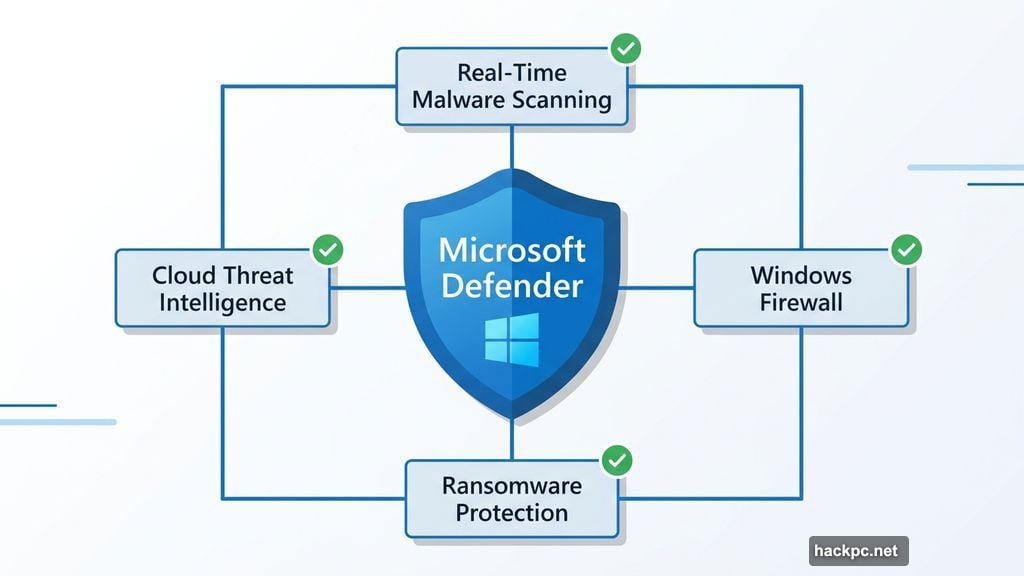
The feature set is solid too. Defender runs real-time malware scanning, checking files and programs as they execute. It taps into cloud-based threat intelligence to catch newly emerging threats faster. Plus, it works alongside the Windows firewall to monitor network traffic and includes ransomware protections that block unknown apps from modifying your important files.
Best of all, it stays completely quiet. Defender runs in the background and only speaks up when something actually goes wrong. For everyday users with predictable online habits, that combination of automatic updates and built-in protection is genuinely enough.
So Why Add Another Layer?
Here’s the honest truth. No single security tool catches everything.
Different antivirus products use different detection methods, databases and research teams. That means one engine might flag something another misses entirely, especially with new or unusual malware. When a fresh threat emerges, there’s always a short window before every antivirus engine recognizes it. Those gaps are small, but they exist.
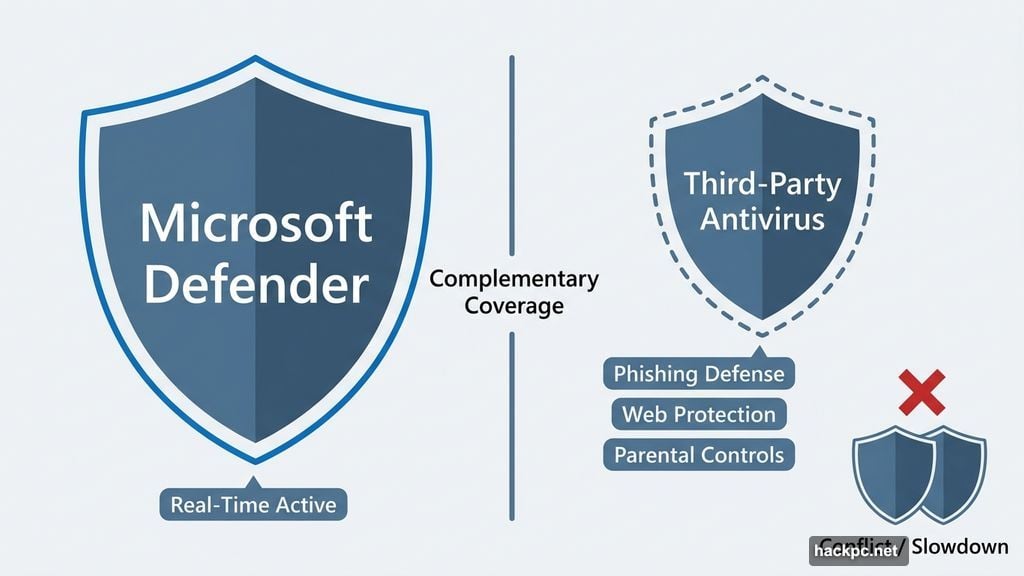
Features matter too. Some third-party antivirus programs include broader web protections, stronger phishing defenses, parental controls and even battery-saving modes. Defender doesn’t focus heavily on those areas. So depending on your situation, a second tool fills real gaps rather than just duplicating what’s already there.
The critical thing, though, is how you add that extra layer. Windows runs best with one primary real-time antivirus engine at a time. Stack two real-time scanners on top of each other and you’re asking for slowdowns, conflicts and false positives. The goal is complementary coverage, not duplication.
Defender Is Probably Enough If This Sounds Like You
Casual users with clean habits don’t need to stress about this.
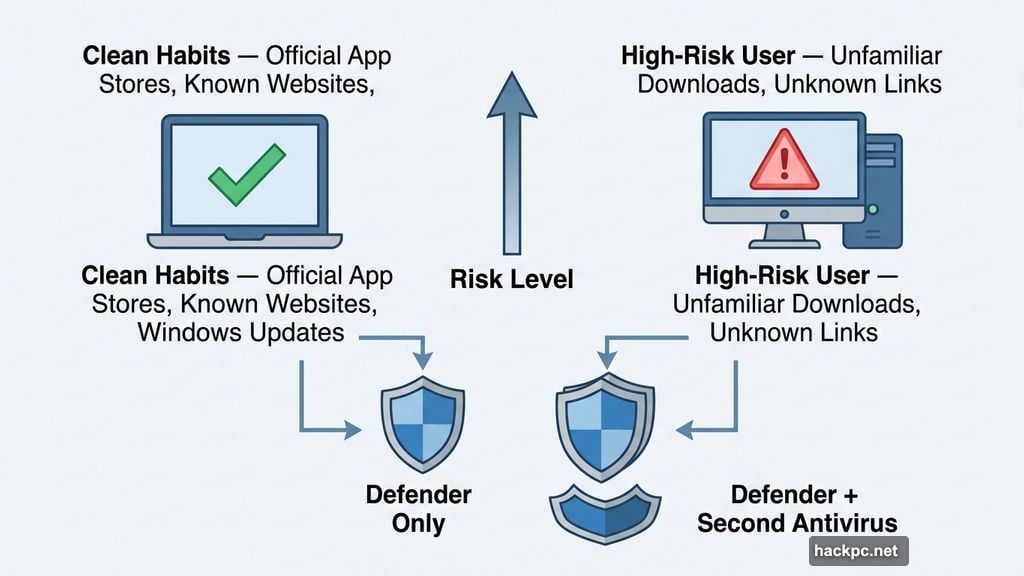
If your online routine mostly involves well-known websites, official app stores and keeping your system updated, you’re not putting yourself in especially risky situations. Defender handles that environment comfortably. Add basic common sense, like not clicking random links or installing sketchy software, and Defender rarely has to work overtime.
The same logic applies to Mac users. Apple’s built-in XProtect handles most threats for people with low-risk habits. But Macs do get viruses, despite what many people still believe. So if your Mac habits lean riskier, a good Mac antivirus that complements XProtect is worth considering.
You Probably Want Extra Protection If This Sounds Like You
Some habits and use cases carry more exposure, and that’s where a second layer of protection earns its place.
Regularly downloading files from lesser-known sources puts you in higher-risk territory. The same goes for modders, scripters and people experimenting with software where quality control is inconsistent at best. If you spend time in less regulated corners of the web, you’re more likely to encounter convincing fake download pages, deceptive links or files that aren’t what they claim to be.
Stakes matter too. If your machine holds financial records, work documents or anything tied to your livelihood, especially without secure cloud backups, the cost of one missed threat is much higher. A single layer of protection may simply be too thin.
Families using shared computers should think about this as well. Some third-party tools include parental controls and browsing filters that Defender doesn’t offer. Microsoft does have a separate Microsoft Family Safety tool, but dedicated antivirus suites often go further.
Torrenters fall into this category too. Even when downloading legitimate content like Linux distributions or public domain media, you’re trusting strangers online not to slip malware into the file. A solid antivirus provides a sensible safety net there.
What I Actually Run Alongside Defender
My personal choice is Bitdefender, and I’ve been happy with it.
Bitdefender fills the gaps where Defender is lighter. It adds stronger web protections, better phishing defenses and a broader set of security tools overall. Depending on the plan you choose, it also brings vulnerability assessments, email breach checks and parental controls into the mix.
Experience helped me land on this setup. I’ve had files that looked completely fine on first glance, only for a second scan to flag them as suspicious. That’s enough of a reminder that different tools genuinely don’t always see the same thing at the same time. I’ve also stumbled onto convincing fake download pages that looked legitimate until I dug deeper. Those are exactly the gaps I want covered.
To be clear, I’m not running Bitdefender as a parallel real-time scanner fighting with Defender. I use it as an added layer that handles areas where Defender is lighter. The two tools work together rather than competing.
Your Habits Matter Just as Much as Your Software
Antivirus software is powerful, but it doesn’t operate in a vacuum. Most security problems still start with something a user does.
Clicking a bad link, downloading a questionable file or reusing the same password across multiple accounts can open the door before any antivirus has a chance to react. So good habits genuinely are your first line of defense. Keep Windows and your apps updated to close known vulnerabilities. Use strong, unique passwords or passkeys. Turn on multifactor authentication wherever possible. Maintain backups so you have a way out if something slips through.
Additional tools support those habits without replacing them. A password manager makes strong passwords practical rather than painful. A VPN adds privacy when you’re on public Wi-Fi. These aren’t competing with your antivirus. They work alongside it.
The honest takeaway is that Defender is a genuinely solid foundation. But whether it’s enough depends entirely on how you use your computer. If your habits are clean and your risk tolerance is low, you’re probably fine sticking with it. If you’re exploring riskier corners of the internet, handling sensitive data, or just want that second set of eyes, adding a complementary tool like Bitdefender is a smart call that costs very little and could save you a lot.




Comments (0)